What “your search returned no results” actually means
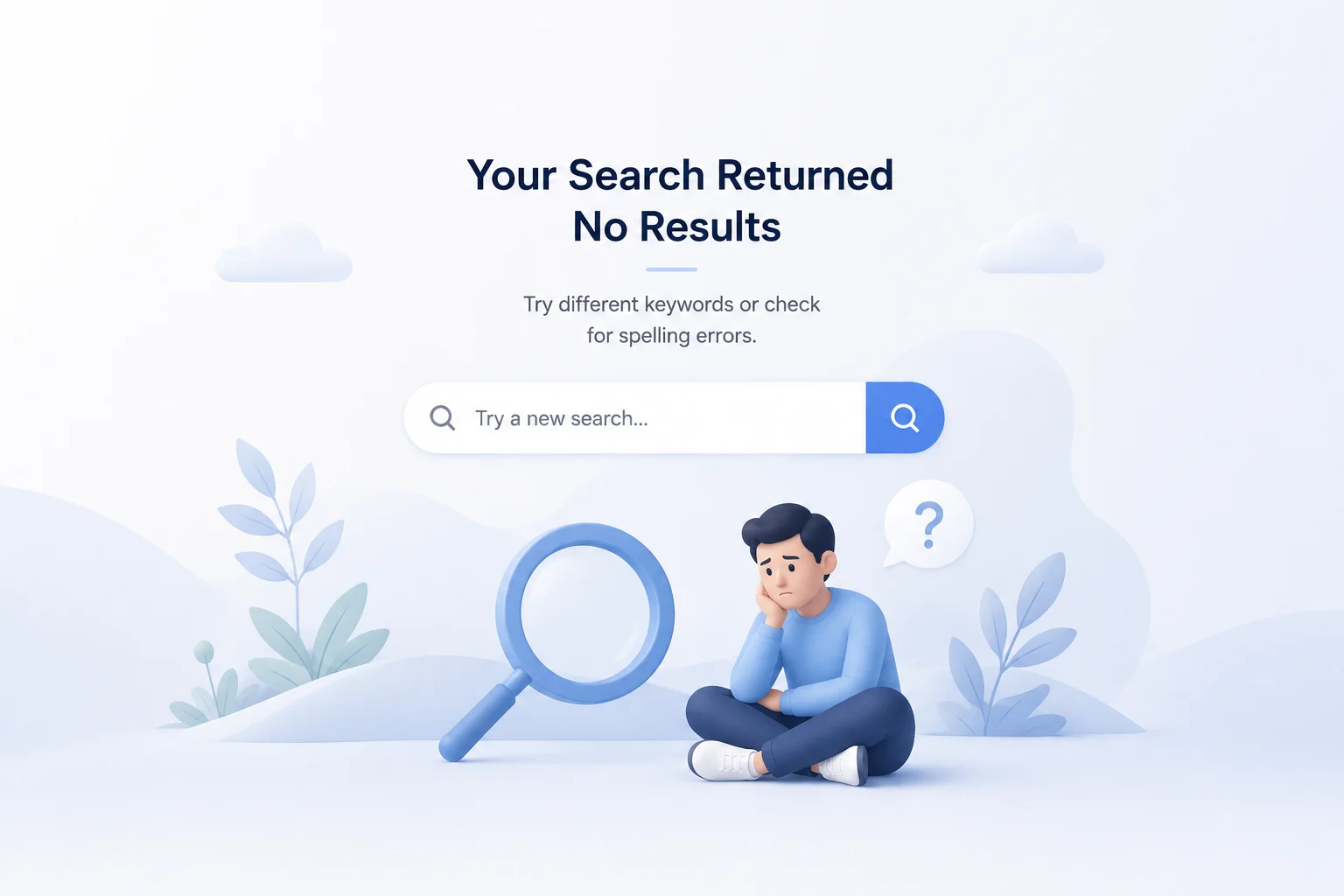
In practice it usually means the search system couldn’t recognize a match that exists. The product is in the catalog. The shopper described it in ordinary human language. The two didn’t line up as text, so the system returned an empty set and displayed the default message your platform ships with.
That distinction matters because it changes the fix. If you genuinely don’t stock the item, no results is the correct and honest answer — and the page should help the shopper find something else. If you do stock it, the message is a bug wearing an error message’s clothing, and the fix belongs in the search layer rather than the page copy.
The 6 reasons a search returns no results
Vocabulary mismatch.
The single biggest cause. Shoppers say “couch,” your catalog says “sofa.” They say “sneakers,” you say “trainers.” Keyword systems need a manually maintained synonym list to bridge these, and nobody’s list is ever complete.
Typos and misspellings.
“Comptuer monitor,” “addidas,” “wireles headphones.” Without typo tolerance, one transposed letter produces a dead end.
Descriptive and natural-language queries.
“Something warm for a rainy hike” contains no product name at all. It describes a use case, and exact matching has nothing to grab.
Over-filtering.
The search itself worked, but stacked filters — size, color, price, availability — narrowed the set to zero. This one deserves separate handling, because the shopper found products and then filtered them away.
Genuinely out of stock or discontinued.
The honest case. The product existed, or exists elsewhere, but not here right now.
Too-specific or long queries.
Pasting an entire product name with model number, packaging details, and color into the box gives a strict system too many terms to satisfy simultaneously.
Five of those six are search failures rather than inventory failures — which is why the no results rate is usually a relevance metric rather than a merchandising one.
AI Search Grader by bCloud AI
Grade your ecommerce search in 10 quick questions
31% of ecommerce searches return zero results — and most shoppers who hit a dead end leave for a competitor. How does your store's search stack up?
Answer 10 short questions and get your AI search score, plus a personalized report to fix the gaps. Free, takes about 2 minutes.
No signup needed to take the quiz.
Understanding intent…
Scoring your answers across relevance, AI, experience, and insights.
Your AI search score is ready
Tell us where to send your personalized report. You'll see your score and recommendations right away.
Your score by pillar
Personalized recommendations
Fix the gaps in weeks, not quarters
bCloud AI replaces keyword-only search with hybrid AI retrieval — sub-200ms responses, 99.99% uptime, and conversion lifts of up to 40% across 50+ implementations.
What it costs
Industry research consistently finds that a substantial share of on-site searches return nothing — commonly cited around 31% for the average store. Even if your number is half that, the math is unpleasant, because the people hitting this message are your best traffic.
Search users convert at a multiple of browsers, since they’ve already decided roughly what they want and are telling you in their own words. Showing them a dead end targets your loss precisely at the highest-intent segment on the site.
The damage compounds in three ways. Immediate abandonment — most shoppers who hit an empty results page leave rather than trying again. Trust erosion — a shopper who gets no results twice concludes your store doesn’t carry much, whether or not that’s true. Invisible losses — unlike a checkout error, this generates no complaint and no support ticket. It just quietly happens, which is why so many teams underestimate the scale until they check their analytics.
Decades of ecommerce UX research from the Baymard Institute document how consistently sites fail exactly the query types listed above, and how rarely the resulting dead ends are designed to recover.
Fixing the cause: making no results rare
Redesigning the message helps. Preventing the message helps more.
Semantic search
is the structural fix for vocabulary mismatch. Instead of matching characters, it matches meaning — so “couch” finds sofas without anyone maintaining a synonym list, and descriptive queries return sensible products even when no title contains those words. Our what is semantic search guide covers how it works.
Typo tolerance and spell correction
eliminate an entire category of dead ends, and they’re among the cheapest improvements available. This is usually the fastest measurable win a team can ship.
Query understanding
interprets intent and extracts constraints — turning “red dress under $80” into a filtered search automatically rather than a failed one. See our query understanding guide.
Hybrid retrieval
keeps precision while adding meaning: keyword matching handles exact SKUs and part numbers, semantic search handles everything human. Pure semantic systems drift on identifiers, so the combination is what production systems use — covered in our hybrid search guide.
Better product data.
The unglamorous one, and often the highest-leverage. Search can only match meaning your catalog expresses. Three-word titles inherited from a supplier feed give any system almost nothing to work with, and the products with the thinnest data are exactly the ones shoppers describe rather than name.
Synonym rules for the gaps.
Even with semantic search, brand-specific vocabulary and internal product codes benefit from explicit rules. Mine your no results log for these — it’s a ready-made to-do list.
Designing a page that recovers the sale
Some searches will always come back empty, and the honest ones should. What matters is what fills that screen.
Rewrite the message.
“Your search returned no results” is a system statement, not a helpful one. Something like “We couldn’t find anything for ‘ladies trainers’ — here are some options you might like” acknowledges the query, sounds human, and immediately pivots forward. Nielsen Norman Group’s long-standing error message guidance is worth reading here: good error messages state the problem plainly, avoid blaming the user, and offer a constructive next step.
Always show products.
An empty page is an exit. Show something — popular items in the closest category, new arrivals, bestsellers, or semantically related products. Anything beats white space.
Offer a spelling correction.
“Did you mean computer monitor?” as a one-tap fix, or better, run the corrected search automatically and note what you did.
Suggest broader queries.
If they searched “waterproof merino hiking socks size 11,” offer “hiking socks” as a step back up.
Handle over-filtering separately.
When filters caused the emptiness, say so and offer to remove the most restrictive one. “No results with all filters applied — remove size: 11 to see 24 items” turns a dead end into a single click.
Keep search accessible.
The search box should be right there, pre-filled with what they typed so they can edit rather than retype.
Capture the intent.
If you genuinely don’t stock it, offer a notify-me option or a link to request it. That converts a loss into a signal about demand — and into an email address.
Never make it feel like the shopper’s fault.
No “invalid query,” no scolding. The system failed them, not the other way round.
Measuring the problem
You can’t manage this without instrumenting it, and most stores don’t.
No results rate
— the percentage of searches returning nothing. Your headline number. Segment it by query type, because the aggregate hides where the failures concentrate.
The top no results queries
— a ranked list of every query that failed, which is the single most actionable report in ecommerce search. Read the top hundred manually. They sort themselves into synonym gaps, typos, products you don’t carry, and demand you should probably meet.
Exit rate from the empty page
— how many sessions end there. This measures whether your recovery design works.
Recovery rate
— what share of shoppers who hit no results go on to search again, click a suggestion, or convert. The number to move.
Low-result searches too.
A search returning two barely-relevant products is a near-miss that standard reporting counts as a success. Track searches returning fewer than five results alongside the true zeroes.
Our guides to ecommerce search analytics and search relevance metrics cover the wider measurement picture, and any change you make should be validated with a live test rather than assumed — see A/B testing ecommerce search.
A practical fix sequence
If your no results rate is high and you want the fastest path to improvement:
Week 1:
Pull your top 100 failed queries. Categorize them. Add synonyms for the obvious vocabulary gaps and confirm typo tolerance is switched on. This alone often cuts the rate meaningfully, and it costs nothing but an afternoon.
Week 2:
Redesign the no results page using the elements above — recommendations, spelling suggestions, broader query options, filter-removal handling, and human copy.
Weeks 3–4:
Enrich product data for the categories your failed queries cluster around. This raises the ceiling for everything that follows.
Month 2:
Evaluate semantic or hybrid search if you’re still running exact-match keyword search. It addresses the root cause rather than patching symptoms. Our roundup of the top semantic search solutions for e-commerce compares the options, and AI site search covers the technology.
Ongoing:
Review failed queries monthly. New products, seasonal vocabulary, and shifting shopper language mean this list never stays fixed.
Changing the message on your platform
If you’ve decided to rewrite the copy, here’s roughly where that string lives on the major platforms. Specifics vary by theme and version, so treat this as orientation rather than instructions.
Shopify
puts it in the search template — usually search.liquid or a main-search section — where the empty-state block controls what appears when a search returned no results. Most modern themes expose part of the copy through the theme editor’s language settings, which avoids touching code.
WooCommerce
uses a no products found template, overridable in your child theme, plus translatable strings that can be changed without editing templates at all.
Magento and Adobe Commerce
handle it through the catalog search results template and CMS blocks, which makes it straightforward to add recommendations to the empty state.
BigCommerce
exposes the search page template through Stencil, with the no results block editable directly.
Headless storefronts
render whatever your frontend decides, which is the easiest case — you control the entire experience and can call a recommendations endpoint for the empty state.
Two cautions. First, changing the wording without adding recommendations is a cosmetic fix; the shopper still has nowhere to go. Second, if your search platform can return suggested products for failed queries via API, use that rather than hardcoding a static bestseller list — relevance beats generic every time, even in a fallback.
If you’re a shopper seeing this message
Worth a short note, since plenty of people arrive here from the other side of the screen.
Try fewer words — search “hiking socks” rather than the full product name. Check your spelling, or let the site’s suggestion correct it. Try a different word for the same thing: sofa instead of couch, sneakers instead of trainers. Remove filters if you applied any, since those frequently cause the empty result rather than the search itself. And browse the category directly, because a store’s navigation sometimes surfaces what its search couldn’t.
If none of that works, the store may genuinely not carry it — or its search may simply not be very good, which is more common than most shoppers assume.
Why this problem is getting worse, not better
One trend is quietly raising the no results rate on stores that haven’t changed a thing.
Shoppers have spent the last few years learning to talk to machines in full sentences. Voice assistants, chat interfaces, and AI search have trained people out of typing two-word keyword fragments and into describing what they actually want: “a lightweight jacket I can pack for a spring trip.” That’s a better description of the purchase than “jacket” ever was, and it’s precisely the query shape that exact-match search handles worst. So the same catalog, the same search engine, and the same traffic will produce more empty results this year than last, because the queries arriving at the box have changed even though nothing on the site has. Stores that treat their no results rate as a fixed background cost tend to discover it drifting upward, and the teams that catch it are the ones reading their failed query log rather than watching the aggregate number.
Frequently asked questions
What does “your search returned no results” mean?
It means the search system found nothing matching the query. In practice it usually means the system couldn’t recognize a match that exists — the product is in the catalog, but the shopper’s words didn’t align with the catalog’s words, so exact-text matching came back empty.
Why does my store show no results for products I actually sell?
Most commonly vocabulary mismatch — shoppers use different words than your product titles. Other causes are typos, descriptive natural-language queries with no product name in them, stacked filters narrowing results to zero, and overly long queries. Five of the six main causes are search failures rather than inventory gaps.
How much do no results searches cost a store?
More than most teams estimate, because search users are the highest-intent traffic on the site. Industry research commonly cites around 31% of searches returning nothing for the average store. Since these shoppers rarely complain, the losses are invisible unless you instrument the metric.
How do I reduce my no results rate?
Start by pulling your top 100 failed queries and adding synonyms plus typo tolerance — usually a same-week improvement. Then enrich product data, redesign the recovery page, and evaluate semantic or hybrid search, which addresses vocabulary mismatch structurally rather than through manual rules.
What should a no results page show?
Never just the message. Show product recommendations, a spelling suggestion, broader query options, and filter-removal help when filters caused the emptiness. Keep the search box visible and pre-filled, use human copy that acknowledges the query, and never imply the shopper did something wrong.
How do I track no results searches?
Most search platforms and analytics tools report a no results rate and a ranked list of failed queries. Track the rate, the top failed queries, exit rate from the empty page, and recovery rate — plus low-result searches returning fewer than five products, which standard reporting counts as successes.
Stop telling customers no when the answer is yes.
bCloud AI matches meaning rather than exact words, so “ladies trainers” finds women’s sneakers — hybrid search, live in about four weeks.
bcloud.ai