


What is typo tolerance?
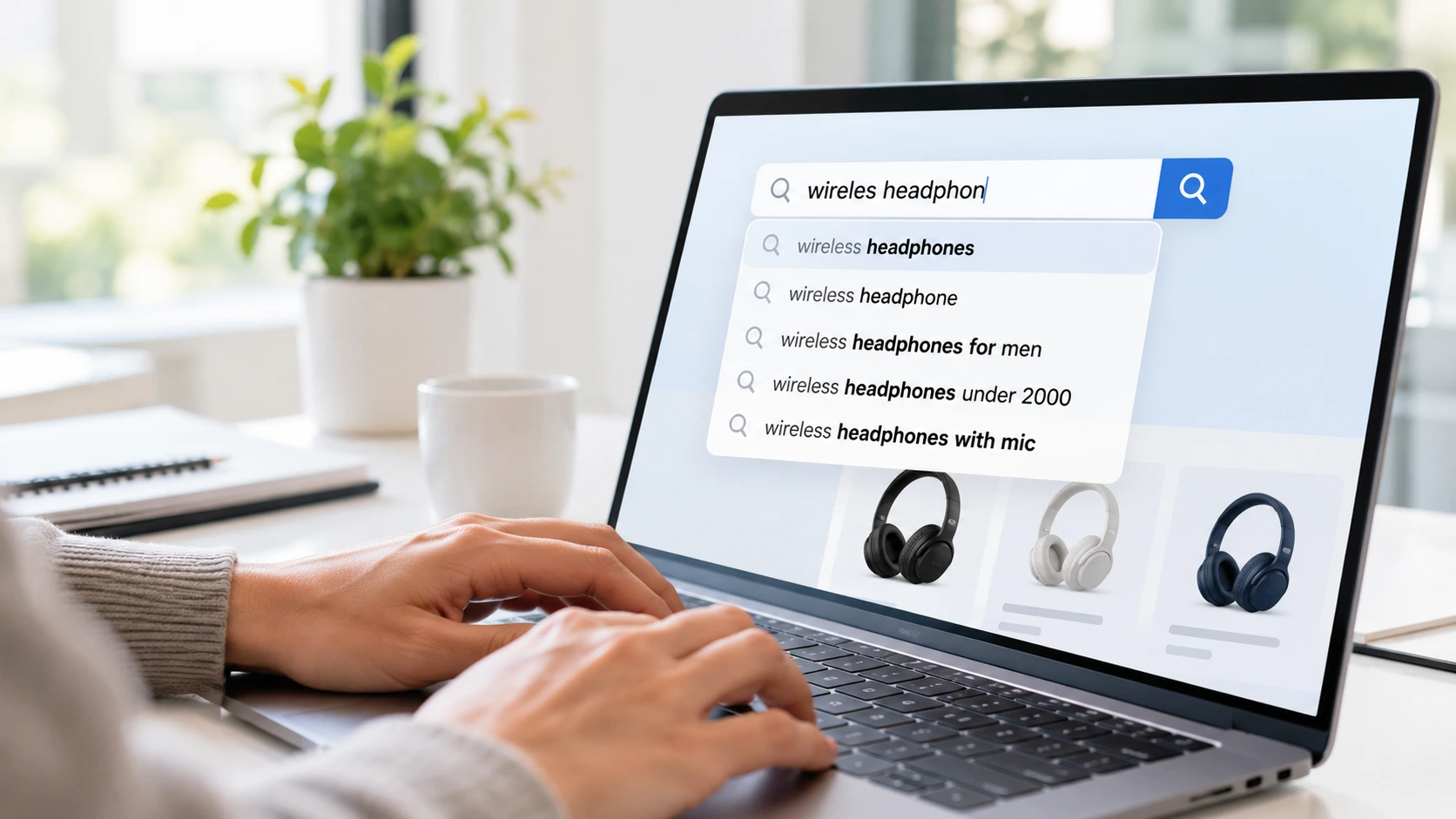
In practice, typo tolerance covers several related features:
Fuzzy matching.
Finding products whose words are close to the query, even if not identical.
Spell correction.
Rewriting an obviously misspelled query to the most likely intended one.
“Did you mean” suggestions.
Offering a corrected query when the engine is unsure.
Autocomplete correction.
Suggesting correctly spelled terms while the shopper is still typing.
Together, these features keep a small mistake from turning into a lost sale. Typo tolerance is one part of query understanding, the wider process of working out what a shopper means.
AI Search Grader by bCloud AI
Grade your ecommerce search in 10 quick questions
31% of ecommerce searches return zero results — and most shoppers who hit a dead end leave for a competitor. How does your store's search stack up?
Answer 10 short questions and get your AI search score, plus a personalized report to fix the gaps. Free, takes about 2 minutes.
No signup needed to take the quiz.
Understanding intent…
Scoring your answers across relevance, AI, experience, and insights.
Your AI search score is ready
Tell us where to send your personalized report. You'll see your score and recommendations right away.
Your score by pillar
Personalized recommendations
Fix the gaps in weeks, not quarters
bCloud AI replaces keyword-only search with hybrid AI retrieval — sub-200ms responses, 99.99% uptime, and conversion lifts of up to 40% across 50+ implementations.
Common types of shopper typos
Not every typo is the same. Each type needs slightly different handling.
Phone keyboards add another layer. Autocorrect can replace a correct product term with a different real word, which simple spell checkers do not catch. See mobile ecommerce search.
How typo tolerance works
Most typo tolerance combines several techniques.
Edit distance.
The engine counts how many single-character changes turn one word into another. “Speeker” is one change away from “speaker,” so it is a likely match. Most systems allow one or two changes, depending on word length.
Phonetic matching.
Words that sound alike are matched even when spelled differently, which helps with spelling by ear.
Learning from search logs.
When many shoppers search a misspelling and then immediately search the correct spelling, that pair becomes a correction the engine can apply automatically.
Context and meaning.
Semantic search looks at the whole query. In “brown lether sofa,” the context makes the intended word obvious. See what is semantic search.
The best typo tolerance blends these signals rather than relying on one.
When typo tolerance goes wrong
Typo tolerance can hurt as well as help. Too much tolerance creates its own problems.
Over-correction.
“Pant” is one letter away from “paint.” A shopper looking for pants should not see paint cans. Short words are especially risky because many real words sit only one or two letters apart.
Brand names and product names.
Some correct brand names look like misspellings of common words. Typo tolerance should not “fix” them.
Model numbers and SKUs.
A model number one digit off is a different product. Exact codes should not be fuzzy matched.
Hiding the original query.
If search silently changes what the shopper typed, they cannot tell why the results look odd.
Good typo tolerance is confident with obvious mistakes and careful with everything else.
7 proven ways to handle typos in site search
1. Scale tolerance to word length
Allow no typos in very short words, one typo in medium-length words and up to two in long words. This simple rule removes most over-correction while still catching common mistakes.
2. Correct in autocomplete, not only in results
Show correctly spelled suggestions while the shopper is still typing. That fixes the error before they ever press enter. See search autocomplete.
3. Learn corrections from your search logs
Look for pairs where a misspelled search is followed by a correct one. Those pairs show real typos in your shoppers’ vocabulary. Add them as automatic corrections and review the list regularly.
4. Protect exact terms
Keep a list of terms that must never be fuzzy matched: SKUs, model numbers, brand names and short product codes. Normalize their format, but match them exactly. See B2B SKU search.
5. Be transparent about corrections
When search corrects a query, say so: “Showing results for leather recliner. Search instead for lether recliner.” Shoppers stay in control, and you avoid confusing results.
6. Combine typo tolerance with semantic search
Fuzzy matching handles spelling, while semantic search handles meaning. Together they understand “comfy lether recliner for small room” as a request for compact leather recliners. See what is hybrid search.
7. Review misspelled zero-result searches weekly
Your zero-result report will show which typos still fail. Fix the top ones each week with a correction rule, a synonym or a catalog update. See ecommerce search analytics.
Typo tolerance vs synonyms
Typo tolerance and synonyms solve different problems, and mixing them up creates messy rules.
Use typo tolerance for spelling errors and synonyms for vocabulary differences. Writing a synonym rule for every misspelling is a sign that typo tolerance is missing or too weak.
Typo tolerance for voice and mobile search
Voice search creates a different kind of error. Speech recognition may hear “pear” when the shopper said “pair,” or split a brand name into common words. Typo tolerance and context help catch these. See voice search for ecommerce.
On mobile, small keyboards make adjacent-key errors common. Tolerance for letters that sit next to each other on a keyboard catches many of these slips.
Typo tolerance for B2B and technical catalogs
B2B buyers often type part numbers, abbreviations and specifications. Here, typo tolerance needs a light touch.
Normalize formats so “AB-1234,” “AB 1234” and “ab1234” match the same part. Do not fuzzy match the digits themselves, because a near-miss part number is usually the wrong part. For descriptive words in the same query, such as “stainles steel,” normal typo tolerance still applies.
A quick typo tolerance setup checklist
Use this checklist when you set up or review typo tolerance:
Confirm it is on for both autocomplete and full search.
Set tolerance by word length: none for very short words, one typo for medium words, two for long words.
Add brand names, product line names, SKUs and model numbers to a protected list.
Normalize spaces, dashes and capitalization in codes.
Turn on “showing results for” messages with an undo link.
Import correction pairs from the last 90 days of search logs.
Test your 50 most common misspellings by hand.
Schedule a weekly review of misspelled zero-result searches.
Most stores can work through this list in a few days. The payoff is immediate, because every fixed typo is a search that now has a chance to convert.
A simple example
Picture a shopper searching “lether recliner for small room” on her phone.
In a weak setup, no product contains the word “lether,” so search returns zero results. She assumes the store does not sell leather recliners and leaves.
In a strong setup, autocomplete suggests “leather recliner” after a few letters. Even if she presses enter first, search corrects the word, shows “Showing results for leather recliner” and returns compact leather recliners. She filters by width, finds one that fits and buys it.
How to measure typo tolerance
Watch “search instead for” clicks closely. A rising rate means typo tolerance is over-correcting and needs tighter rules. See search relevance metrics.
Common typo tolerance mistakes
Fuzzy matching everything.
Short words and codes need exact matching.
Correcting silently.
Shoppers need to see what changed and be able to undo it.
Ignoring autocomplete.
Fixing typos only after enter misses the easiest moment to help.
Using synonyms for misspellings.
It bloats your rule list and still misses new typos.
Never checking the logs.
New brand names and trends bring new typos every season.
Where bCloud AI fits
bCloud AI handles typo tolerance as part of query understanding, which fixes typos and extracts constraints such as size or price automatically. AI search combines keyword and vector retrieval, so misspelled and loosely worded queries still reach the right products. Search analytics flags zero-result searches as they happen, so your team can catch any typos that still slip through.
The bottom line on typo tolerance
Shoppers misspell, especially on phones and with brand names. Typo tolerance turns those mistakes from dead ends into sales.
Scale tolerance to word length, correct in autocomplete, learn from your logs, protect exact terms, be transparent and combine fuzzy matching with semantic search. Then review misspelled zero-result searches every week, so the gaps keep shrinking.
Frequently asked questions
What is typo tolerance in ecommerce search?
Typo tolerance is a search engine’s ability to return the right products even when a query contains spelling mistakes, using fuzzy matching, spell correction and autocomplete suggestions.
How common are misspelled searches?
A Microsoft Research study found that roughly 10 to 15 percent of queries sent to web search engines contain errors. Ecommerce adds hard-to-spell brand names and mobile typing errors.
How does fuzzy search work?
Fuzzy search measures how many single-character changes separate two words and treats close matches as likely intended words, often combined with phonetic matching and search log data.
Can typo tolerance return wrong results?
Yes. Too much tolerance can match short words to different real words, such as pant and paint. Scaling tolerance to word length and protecting exact terms prevents most errors.
Should model numbers use typo tolerance?
No. Normalize formats such as dashes and spaces, but match the numbers exactly, since a near-miss model number is usually a different product.
What is the difference between typo tolerance and synonyms?
Typo tolerance fixes spelling mistakes, such as “sofaa” for sofa. Synonyms connect different correct words with the same meaning, such as couch and sofa.
Should search correct typos automatically?
For obvious errors, yes, but show the correction and let shoppers search their original query instead.
How do I measure typo tolerance?
Track zero-result rate for misspelled queries, click-through after corrections, clicks on “search instead for” links and conversion for corrected searches.
How does bCloud AI handle typo tolerance?
bCloud AI fixes typos automatically as part of query understanding, combines keyword and vector search to match intent, and flags zero-result searches so teams can fix any remaining gaps.
Turn every typo into a match.
bCloud AI understands misspelled and loosely worded searches and shows you which queries still fail. See it on your own catalog.
bcloud.ai