API Site Search Ecommerce Comparison: Speed & Relevance (2026)
What “API site search” means
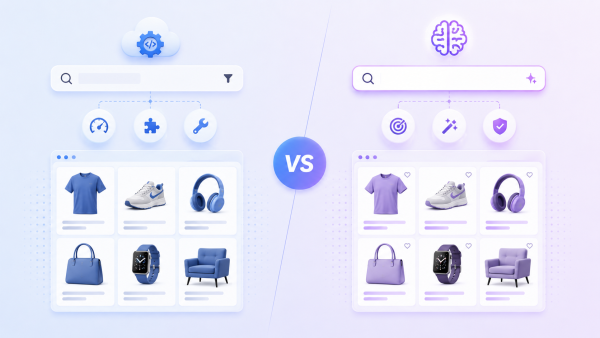
What an API site search ecommerce comparison should measure
Speed. Look beyond average latency to p95/p99 tail latency under peak QPS — that’s what shoppers actually feel. Hosted APIs typically deliver consistent low double-digit millisecond responses globally via edge infrastructure.
Relevance. Measured by whether the right product appears in the top results for real queries — especially long-tail, typo and descriptive ones — usually scored with metrics like nDCG. Hybrid (keyword + vector) relevance wins here. [Insert your own benchmark: “On a [X]-query test set, [bcloud.ai] returned the correct product in the top 3 for [Y]% of queries at p95 latency of [Z] ms.”]
Example API request
AI Search Grader by bCloud AI
Grade your ecommerce search in 10 quick questions
31% of ecommerce searches return zero results — and most shoppers who hit a dead end leave for a competitor. How does your store's search stack up?
Answer 10 short questions and get your AI search score, plus a personalized report to fix the gaps. Free, takes about 2 minutes.
No signup needed to take the quiz.
Understanding intent…
Scoring your answers across relevance, AI, experience, and insights.
Your AI search score is ready
Tell us where to send your personalized report. You'll see your score and recommendations right away.
Your score by pillar
Personalized recommendations
Fix the gaps in weeks, not quarters
bCloud AI replaces keyword-only search with hybrid AI retrieval — sub-200ms responses, 99.99% uptime, and conversion lifts of up to 40% across 50+ implementations.
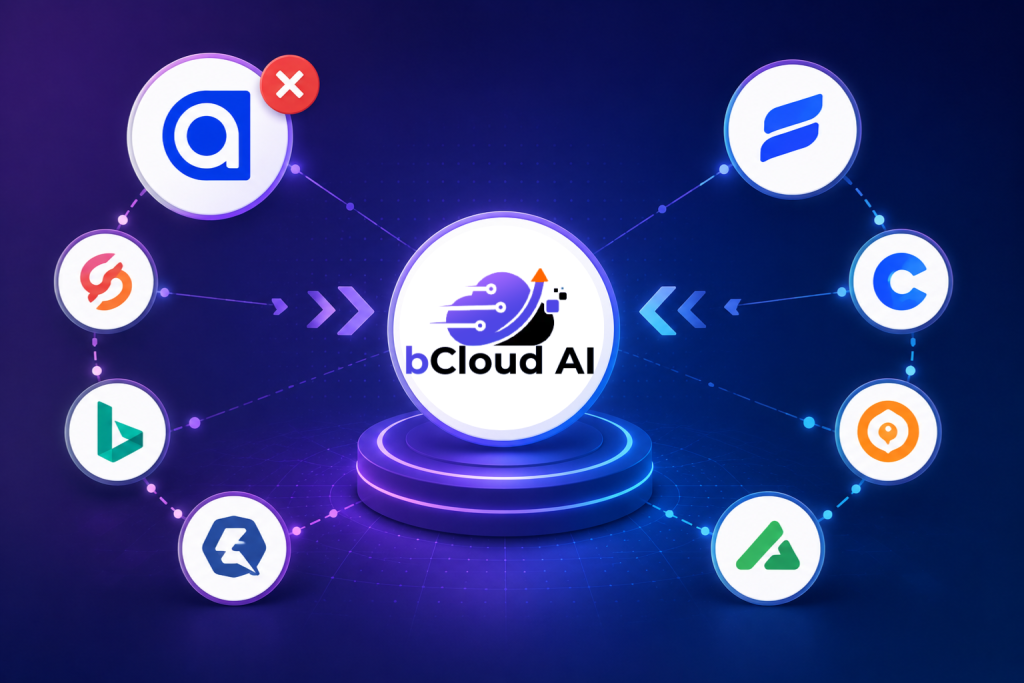
API site search ecommerce comparison: speed & relevance table
| Search API | Typical latency | Relevance approach | Merchandising | Hosting | Pricing model |
|---|---|---|---|---|---|
| [bcloud.ai] | [low ms] | Hybrid keyword+vector | ✅ Built-in | Hosted | [tiered] |
| Algolia | Very low (edge) | Keyword + NeuralSearch | ✅ Strong | Hosted | Usage-based |
| Elasticsearch/OpenSearch | Depends on your infra | BM25 + kNN (DIY tuning) | DIY | Self-hosted/managed | Infra/licence |
| Typesense | Very low | Keyword + vector | Basic | Self/Cloud | Flat/infra |
| Meilisearch | Very low | Keyword + semantic | Basic | Self/Cloud | Flat/infra |
| Constructor | Low | Intent/revenue ML | ✅ | Hosted | Enterprise |
| Coveo | Low | Enterprise ML | ✅ | Hosted | Enterprise |
All latency and relevance figures depend on catalog size, region and configuration — benchmark on your own data and verify pricing against current vendor docs.
Hosted vs self-hosted search APIs
Hosted APIs ([bcloud.ai], Algolia, Constructor, Coveo) give you low latency, built-in relevance and merchandising, and no ops — at a usage- or contract-based price. Self-hosted/open-source APIs (Elasticsearch/OpenSearch, Typesense, Meilisearch) give you full control and predictable infra cost — but you own relevance tuning, scaling and uptime; the Elasticsearch documentation is a good sense-check on that operational load. For most commerce teams that lack a dedicated search/relevance engineer, a hosted API reaches strong speed and relevance faster. For the relevance side specifically, see the top semantic search solutions for e-commerce; for scale, see the solutions for large catalogs.
How an Ecommerce Search API Improves Product Discovery
A strong ecommerce search API helps turn product discovery into a faster and more relevant experience by connecting shopper intent with the right products in real time. Instead of relying only on exact keyword matches, modern APIs can combine keyword and vector search to understand descriptive queries, typos, product attributes, and natural-language requests while still supporting filters and merchandising controls. Fast response times are equally important because even highly relevant results can lose their value when shoppers have to wait. When relevance, low latency, real-time catalog updates, and flexible ranking work together, an ecommerce search API helps shoppers find suitable products with less effort while giving retailers a scalable foundation for improving search performance as their catalog and traffic grow.
How to run your own API site search ecommerce comparison
Build a labelled query set from your real search logs (head + long-tail + typo + descriptive).
Measure relevance (e.g., top-3 hit rate / nDCG) on identical data across each API.
Measure latency at your real peak QPS, reporting p95/p99 — not just average.
Factor in merchandising effort and total cost at your query volume.
Re-test after tuning; out-of-the-box vs tuned results can differ widely.
Essential Features to Look for in an Ecommerce Search API
Speed and relevance are critical, but they are only part of the decision. A modern ecommerce search API should also provide the flexibility, intelligence, and scalability needed to support growing product catalogs and evolving shopper expectations.
Hybrid Search
Combine keyword and vector search to handle exact SKU queries as well as natural-language product searches.
Real-Time Indexing
Ensure new products, pricing updates, and inventory changes appear in search results within seconds.
Advanced Filtering
Support dynamic facets, category filters, price ranges, availability, and custom product attributes.
Analytics Dashboard
Track popular searches, zero-result queries, click-through rates, and conversion metrics to continuously improve relevance.
The best ecommerce search APIs are designed to do more than return results. They provide AI-powered relevance, real-time catalog synchronization, merchandising controls, and analytics that help retailers improve product discovery as their business grows.
FAQ
What should an API site search ecommerce comparison measure?
Primarily two things: speed (p95/p99 latency under peak QPS) and relevance (how often the right product ranks in the top results), then merchandising control and total cost at your query volume.
What is an e-commerce search API?
A headless search service you call over HTTP that returns ranked product results, decoupled from your storefront platform so it can power web, app and other channels.
Which is faster, a hosted or self-hosted search API?
Hosted APIs usually deliver more consistent low latency out of the box via edge infrastructure; self-hosted can match it but requires you to scale and tune it yourself.
How do I measure search relevance?
Use a labelled query set from real logs and metrics like top-3 hit rate or nDCG, run identically across each API — ideally including long-tail, typo and descriptive queries.
Do search APIs support vector/semantic search?
Most modern ones do, either natively or as a hybrid mode that blends keyword and vector relevance.
What latency should I target?
Track p95/p99 under peak QPS rather than averages; consistent low double-digit milliseconds is a common target for a responsive storefront.