


What is product bundling?
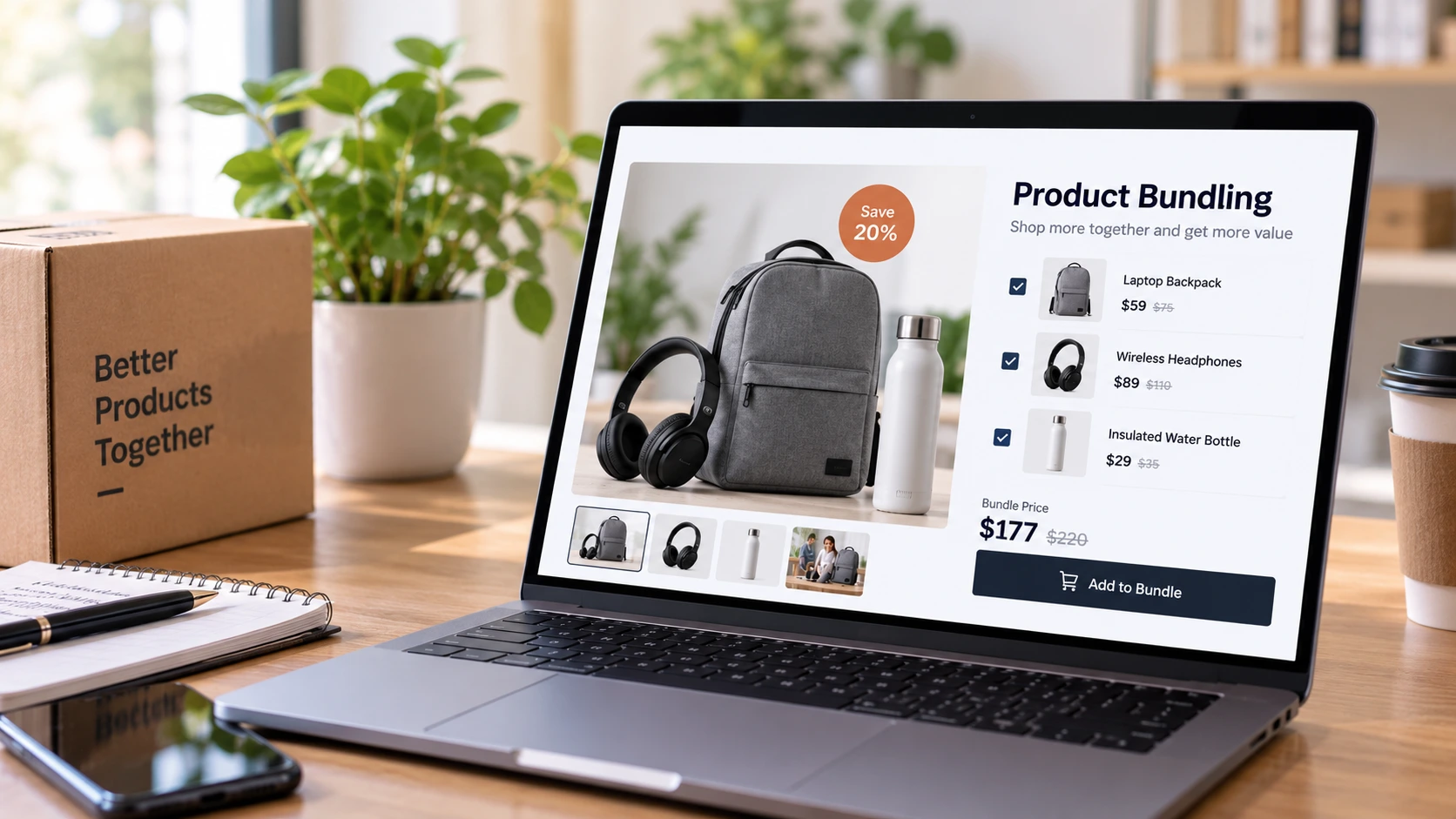
Either way, the goal is the same: help shoppers buy a complete solution instead of a single item, and raise average order value in the process.
AI Search Grader by bCloud AI
Grade your ecommerce search in 10 quick questions
31% of ecommerce searches return zero results — and most shoppers who hit a dead end leave for a competitor. How does your store's search stack up?
Answer 10 short questions and get your AI search score, plus a personalized report to fix the gaps. Free, takes about 2 minutes.
No signup needed to take the quiz.
Understanding intent…
Scoring your answers across relevance, AI, experience, and insights.
Your AI search score is ready
Tell us where to send your personalized report. You'll see your score and recommendations right away.
Your score by pillar
Personalized recommendations
Fix the gaps in weeks, not quarters
bCloud AI replaces keyword-only search with hybrid AI retrieval — sub-200ms responses, 99.99% uptime, and conversion lifts of up to 40% across 50+ implementations.
Types of product bundling
Most stores use more than one type. Start with the one that matches how your customers already shop.
Why product bundling works
Product bundling helps in three ways.
It saves effort.
Shoppers do not have to work out which accessories or supplies they need. The bundle answers that question for them.
It reduces doubt.
A complete kit makes a first purchase feel safer, especially for beginners who do not know what they are missing.
It raises order value.
Each well-chosen add-on increases the size of the order without new traffic.
The first two benefits come before the third. Shoppers buy bundles because bundles help them, not because a store wants a bigger basket.
7 proven product bundling strategies
1. Start with real co-purchase data
Look at which products your customers already buy together. Those pairs are your strongest candidates. They reflect real needs, not guesses. See AI product recommendations.
2. Lead with complements, not alternatives
A bundle should add to the main product, not compete with it. Baymard’s research found that supplementary products should generally take precedence over alternatives in the cart, and that suggesting alternatives at checkout can do more harm than good.
3. Make compatibility certain
The most useful add-ons are the ones a product needs to work, such as batteries, memory cards, filters or cables. Make sure every suggested item truly fits the main product. One incompatible add-on damages trust in the whole bundle.
4. Price bundles honestly
If a bundle offers a saving, show the separate prices and the bundle price clearly. Avoid inflated “was” prices. Shoppers compare, and a fake saving costs more trust than it earns.
5. Let shoppers adjust the bundle
Allow shoppers to remove an item they already own, swap a color or size, or choose from a few options. Flexible bundles convert better than all-or-nothing offers.
6. Explain why items belong together
Label the reason for each suggestion, such as “frequently bought together” or “needed for setup.” Nielsen Norman Group recommends that sites state the source of data used to create recommendations, which adds credibility (Nielsen Norman Group).
7. Keep bundles in stock
A bundle with one sold-out item is a broken bundle. Sync bundles with inventory, and swap in a close alternative or hide the bundle when a component runs out. See real-time indexing.
How to price product bundles
Bundle pricing affects both conversion and margin. Three approaches are common.
Sum of parts.
The bundle costs the same as buying items separately, and the value is convenience. This works well for frequently bought together suggestions.
Bundle discount.
A modest saving encourages shoppers to take the full set. Keep the discount small enough to protect margin, and apply it to items that cost little to include.
Tiered offers.
“Buy two, get 10 percent off; buy three, get 15 percent off” encourages larger build-your-own bundles.
Whatever you choose, test it. Product bundling with a discount that is too deep can raise order value while lowering profit. Watch margin per order alongside average order value.
Product bundling and personalization
The best bundle for one shopper is not always the best for another. A returning customer who already owns the camera needs lenses and batteries, not another starter kit.
Personalized product bundling uses what you know about the shopper, such as past purchases, browsing and items in the cart, to suggest add-ons that fit. It avoids recommending items they already bought and favors accessories for products they own. See ecommerce personalization.
Where to place product bundles
Keep cart bundles small and highly relevant. The cart is for finishing a purchase, not starting a new one.
Product bundling ideas by category
Every category has natural bundles. Here are starting points for common US ecommerce categories.
Use these as ideas, then check them against your own co-purchase data. The best product bundling ideas come from what your customers already buy together, not from a generic list.
Make product bundles searchable
Many shoppers search for bundles directly with queries like “starter kit,” “gift set,” “beginner camera kit” or “everything for a new puppy.” If your bundles are not indexed with those words, search will miss them.
Give each bundle a clear name and description, list the included items and tag the occasion or use case. Make sure natural language queries reach them. See natural language search.
Product bundling for the holidays
Holiday shoppers love bundles because gift sets solve the “what do I buy” problem. Create gift bundles by recipient, interest and price, and feature them in search results and collections.
Plan holiday product bundling early, confirm stock for every component and remove seasonal bundles promptly after the holidays. See ecommerce merchandising for broader campaign planning.
Product bundling in B2B
B2B buyers often need kits rather than single items: a set of fittings for a job, consumables for a machine or supplies for a new location. Bundling these saves buyers time and reduces missed items.
Base B2B bundles on order history and compatibility data, and let buyers adjust quantities. Make kits easy to reorder. See B2B SKU search.
A simple example
Picture a shopper buying a mirrorless camera.
In a weak setup, the product page suggests three other cameras and a random tripod. The cart offers a phone case. She buys only the camera, then realizes at home that she needs a memory card and a spare battery.
In a strong setup, the product page shows “Frequently bought together: compatible memory card, spare battery and camera bag,” with a small saving for adding all three. She removes the bag because she already has one, adds the card and battery and checks out. Her order is larger, and she has everything she needs on day one.
How to measure product bundling
Compare these with and without bundles, ideally with an A/B test. See A/B testing ecommerce search and ecommerce search analytics.
Common product bundling mistakes
Bundling by popularity alone.
Bestsellers from another category are not a bundle.
Suggesting alternatives in the cart.
It reopens the decision just before checkout.
Ignoring compatibility.
One wrong accessory undermines every other suggestion.
Fake savings.
Inflated reference prices damage trust.
Too many suggestions.
A long row of add-ons is easy to ignore. Show only the best few.
Forgetting inventory.
Bundles with sold-out items frustrate shoppers.
Who should own product bundling
Product bundling crosses teams. Merchandising chooses and names bundles, pricing sets offers, operations confirms stock and fulfillment, and analytics measures results.
Give one person ownership of the bundle program and a monthly review of attach rate, margin and returns. Retire bundles that do not perform, and test new ones based on fresh co-purchase data.
Where bCloud AI fits
bCloud AI supports product bundling with AI recommendations that suggest frequently bought together and complementary items based on real co-purchase patterns. Merchandisers can feature curated collections and promotional slots for bundles through a single console, and search analytics shows what shoppers search for, so bundles match real demand. Personalization tailors suggestions to each shopper.
The bottom line on product bundling
Product bundling works when it helps shoppers get a complete solution. It fails when it feels like a sales push.
Start with real co-purchase data, lead with complements, make compatibility certain, price honestly, let shoppers adjust and explain why items belong together. Then keep bundles in stock and measure attach rate, order value and margin together.
Frequently asked questions
What is product bundling in ecommerce?
Product bundling is selling two or more products together, either as a fixed set or as suggested add-ons, so shoppers can buy a complete solution in one purchase.
What are the main types of product bundles?
Common types include pure bundles, mixed bundles, frequently bought together suggestions, starter kits, build-your-own bundles, replenishment bundles and B2B kits.
Does product bundling increase average order value?
It can, when bundles are relevant. Shoppers add items that genuinely complete their purchase, but irrelevant suggestions are ignored and can reduce trust.
How do I choose which products to bundle?
Start with products your customers already buy together, prioritize complements and must-have accessories, and confirm every item is compatible.
Should bundles be discounted?
Not always. A small, honest saving can encourage bundles, but convenience and completeness are often enough. Always show separate and bundle prices clearly.
Where should I show product bundles?
On product pages, in the cart for small add-ons, in search results for kits and gift sets, on category pages and in post-purchase emails.
What is the difference between bundling and cross-selling?
Bundling packages products together, often with a single price. Cross-selling suggests related products separately. Frequently bought together suggestions sit between the two.
How do I measure product bundling success?
Track attach rate, average order value, bundle conversion rate, margin per order and return rate on bundled items.
How does bCloud AI help with product bundling?
bCloud AI recommends frequently bought together and complementary items from real co-purchase patterns, and merchandisers can feature bundles through curated collections and promotional slots.
Bundles shoppers actually want.
bCloud AI suggests the add-ons that truly belong together and helps you feature bundles where shoppers look. See it on your own catalog.
bcloud.ai