


What is CPQ?
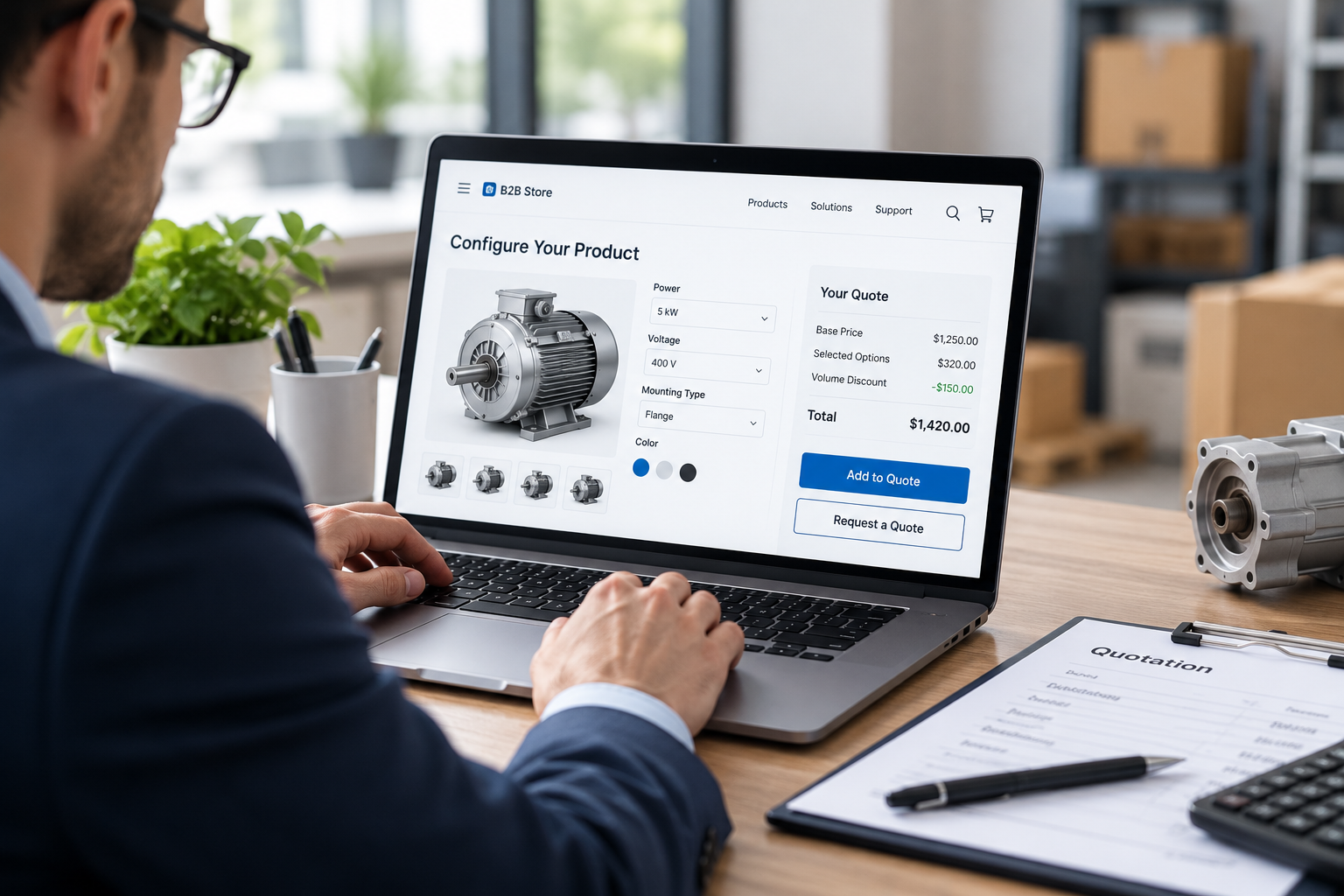
Configure.
The buyer or rep selects options, components and quantities. Rules prevent combinations that will not work, such as a motor too small for the pump.
Price.
The software calculates the price from list prices, options, volume tiers, contract terms and any approved discounts.
Quote.
It produces a formal quote, routes it for approval if needed and converts it into an order once accepted.
In short, it turns a complicated buying decision into an accurate, consistent and fast quote.
AI Search Grader by bCloud AI
Grade your ecommerce search in 10 quick questions
31% of ecommerce searches return zero results — and most shoppers who hit a dead end leave for a competitor. How does your store's search stack up?
Answer 10 short questions and get your AI search score, plus a personalized report to fix the gaps. Free, takes about 2 minutes.
No signup needed to take the quiz.
Understanding intent…
Scoring your answers across relevance, AI, experience, and insights.
Your AI search score is ready
Tell us where to send your personalized report. You'll see your score and recommendations right away.
Your score by pillar
Personalized recommendations
Fix the gaps in weeks, not quarters
bCloud AI replaces keyword-only search with hybrid AI retrieval — sub-200ms responses, 99.99% uptime, and conversion lifts of up to 40% across 50+ implementations.
Why CPQ is moving into B2B ecommerce
The shift is driven by buyers, not vendors. In a Gartner survey of 646 B2B buyers conducted in late 2025, 67 percent said they prefer a rep-free experience, and 45 percent reported using AI during a recent purchase (Gartner).
For complex products, “rep-free” is only possible if the logic a rep used to apply lives online. That logic is exactly what configure-price-quote software holds. Consequently, self-serve quoting inside the storefront is becoming a core part of B2B ecommerce rather than a back-office tool.
Sales CPQ vs. self-serve CPQ
The same quoting engine can serve two very different users. Their needs differ more than most teams expect.
The biggest mistake is exposing a sales-rep interface to buyers. It works, technically. However, buyers abandon it, because it assumes knowledge they do not have.
Do you actually need CPQ software?
Not every B2B store does. Many get by with a “request a quote” button and a sales team. Use this table as a rough guide.
Many B2B commerce platforms include basic quote requests and negotiation. Full configure-price-quote software adds the rules and pricing logic on top. Start with the simplest option that removes your real bottleneck.
Types of software CPQ
Software CPQ comes in a few broad categories. Each fits a different setup.
CRM-native tools.
Built into or tightly connected with a CRM. Strong for rep-led sales; self-serve usually needs extra work.
ERP-native or manufacturing tools.
Close to bills of materials and production rules. Strong for engineered-to-order products.
Standalone tools.
Independent products that connect to CRM, ERP and commerce through APIs. Flexible, but integration takes planning.
Commerce-platform quoting.
Quoting features or extensions inside the B2B ecommerce platform. Easiest for self-serve, though often lighter on complex rules.
Whichever you choose, the same test applies. Can a buyer who has never spoken to your team configure, price and request a valid quote in a few minutes?
7 smart ways to quote faster with CPQ
1. Help buyers find the right base product first
Every configuration starts with a product. If the buyer cannot find the right base model, the configurator never gets used. This is a search problem. Buyers search by application, spec or a competitor’s part number, so search must understand all three. See manufacturer search and our product search engine guide.
2. Ask questions before showing options
Instead of opening with forty option fields, ask three or four needs-based questions, then pre-select sensible defaults. This is guided selling applied to configuration. See guided selling tools and our guide to the website product configurator.
3. Block invalid combinations as they happen
Rules should stop a buyer from choosing incompatible options in real time, with a short explanation. Catching errors at quote review wastes everyone’s time.
4. Show the buyer’s real price instantly
Contract pricing, volume tiers and options should update the price as the buyer configures. Hidden pricing pushes buyers back to email.
5. Suggest compatible add-ons and spare parts
Seals, mounting kits, maintenance parts and accessories belong on the quote. Surfacing compatible items raises order value and prevents follow-up orders for forgotten parts. See average order value.
6. Approve automatically within limits
Set clear thresholds. Quotes within standard discount limits convert straight to orders; anything above routes to a person. Most buyers never need to wait.
7. Make reordering a configured product effortless
B2B buyers reorder. A saved configuration should be one click from a fresh quote at today’s price. See B2B SKU search.
Product data is the hidden CPQ requirement
Quoting software depends on clean option data. Each option, variant and component needs consistent attributes, identifiers and compatibility rules. Otherwise, the rules engine cannot do its job.
That same structure matters for search engines too. Google’s documentation on product variant structured data describes how to group variants with ProductGroup, list the attributes they vary by, and give each variant its own Product entry with a unique identifier such as a SKU or GTIN (Google Search Central). Clean variant data therefore serves your quoting, your on-site search and your organic visibility at once. See product data enrichment.
Where search fits in a CPQ stack
Quoting software handles configure, price and quote. It does not usually handle discovery: getting the buyer from a vague need to the right configurable product.
That gap is where AI search sits. A buyer types “pump for 200 gallons per minute, corrosive fluid.” Search needs to understand the requirement, return the right product families and pass the buyer into configuration. After the quote, search also helps buyers find replacement parts and compatible add-ons.
bCloud AI is not CPQ software. It is the discovery layer around it. Our AI Browse is built to guide professional buyers to the exact SKUs, replacement parts and complementary add-ons they need, and it connects to your stack through integrations and an API. See also AI search for B2B ecommerce. If you are still choosing a search engine for your ecommerce website, our roundup of the best ecommerce search engine options is a useful starting point.
How to roll out self-serve CPQ
1. Start with one product family.
Choose the one with the most quote requests and the most quoting errors.
2. Document the rules a rep applies.
Interview your best sales engineer before configuring anything.
3. Clean the option data.
Consistent attributes and identifiers first, rules second.
4. Design the buyer flow separately from the rep flow.
Fewer fields, plain language, guided defaults.
5. Test with real buyers.
Watch three customers try it before launch.
6. Measure and expand.
Then add the next product family.
For a full project plan, see AI search implementation.
A simple example
Consider a distributor that sells industrial air compressors. Before self-serve quoting, a buyer emailed a request, a rep asked follow-up questions, an engineer checked compatibility and a quote arrived three days later.
Now the buyer searches “compressor for a small machine shop, 3 tools running at once.” Search returns two suitable product families. A short guided step asks about voltage and tank size. The buyer then picks options, sees the contract price update live, adds a filter kit and drain valve the system suggests, and accepts a quote within a standard discount band.
The order lands in the ERP the same afternoon. The rep only steps in when a buyer asks for something unusual. Nothing about the product changed; the buying experience did.
How to measure self-serve quoting
Common mistakes to avoid
Giving buyers the rep interface.
It assumes expertise buyers do not have.
Automating messy data.
Rules built on inconsistent attributes produce wrong quotes faster.
Ignoring discovery.
A perfect configurator is useless if buyers cannot find the right base product.
Hiding the price until the end.
Buyers want to see cost change as they choose.
Treating quoting as a one-time project.
Products, prices and rules change. Someone has to own them.
The CPQ forecast
Here is where we expect B2B quoting to go next.
Self-serve becomes the default.
As more buyers prefer a rep-free experience, the storefront becomes the primary quoting channel and reps focus on complex or strategic deals.
AI assists configuration.
Buyers will increasingly describe a need in plain language and get a proposed configuration to review, rather than starting from a blank form.
Agents request quotes.
Procurement tools and AI agents will start requesting quotes programmatically. Clean product data and quoting APIs will matter as much as the buyer interface.
For the wider picture, see our future of ecommerce forecast.
The bottom line on CPQ for B2B ecommerce
CPQ for B2B ecommerce is how complex products become self-serve. The software matters, but three things matter more: a buyer-friendly flow, clean option data and search that gets buyers to the right product in the first place.
Get those right, and quotes that took days take minutes. Your sales team, in turn, spends its time where expertise actually changes the outcome.
Frequently asked questions
What is CPQ?
CPQ stands for configure, price, quote. It is software that lets a buyer or sales rep select product options, calculates the correct price from rules and contracts, and produces a quote that can be approved and converted into an order.
What is CPQ for B2B ecommerce?
It is CPQ built into a B2B storefront so buyers can configure products, see their own pricing and request or accept quotes online without waiting for a sales rep.
What does software CPQ do that a quote request form does not?
A quote request form only collects information for a person to process. Software CPQ applies configuration rules, calculates pricing automatically, prevents invalid combinations and can approve standard quotes instantly.
Do all B2B stores need CPQ?
No. Stores selling standard SKUs with simple account pricing often manage with built-in quote requests. CPQ pays off when products have many interdependent options, pricing is complex or quoting errors are costly.
What are the main types of CPQ software?
CRM-native tools, ERP-native or manufacturing tools, standalone quoting tools connected through APIs, and quoting features built into B2B ecommerce platforms.
How is self-serve CPQ different from sales CPQ?
Self-serve CPQ is designed for buyers with less product knowledge, so it uses plain language, guided steps and sensible defaults, and shows only the buyer’s own pricing.
How does search relate to CPQ?
Quoting software configures and prices a product, but buyers first need to find the right base product. AI search connects a buyer’s described need to the right product family and later helps them find compatible add-ons and replacement parts.
Does product data quality affect CPQ?
Yes. Configuration rules and pricing depend on consistent attributes, identifiers and compatibility data. Messy data produces wrong quotes.
Is bCloud AI a CPQ tool?
No. bCloud AI provides AI search, browse and recommendations, the discovery layer that helps buyers find the right products, replacement parts and add-ons before and after the CPQ step.
Get buyers to the right product before they configure.
bCloud AI connects described needs, specs and part numbers to the right product families, then surfaces compatible add-ons and spare parts. See how it fits alongside your CPQ.
bcloud.ai