What a vector database does (and doesn’t) do
What a vector database doesn’t do — especially for ecommerce — is give you a finished search experience. You still need an embedding pipeline, hybrid (keyword + vector) blending, re-ranking with business signals, merchandising controls, and a frontend. Keep that in mind as you read this vector database comparison: the database is the start of a build, not the end.
Vector database comparison at a glance
| Database | Model | Hybrid search | Best at | Watch-outs |
|---|---|---|---|---|
| Pinecone | Managed only | Yes (added) | Managed scale, zero tuning | Cost compounds at scale |
| Qdrant | Open-source + cloud | Native | Speed + filtered search, cost efficiency | Smaller ecosystem; test writes at scale |
| Weaviate | Open-source + cloud | Native (champion) | Built-in hybrid + embedding modules | GraphQL curve; resource-heavy self-host |
| Milvus | Open-source + cloud | Yes | Billion-scale, index flexibility | Resource-intensive to operate |
| pgvector | Postgres extension | Manual | Teams already on Postgres | Tuning needed at very large scale |
| Chroma | Open-source | Basic | Developer experience, prototyping | Less proven at large production scale |
AI Search Grader by bCloud AI
Grade your ecommerce search in 10 quick questions
31% of ecommerce searches return zero results — and most shoppers who hit a dead end leave for a competitor. How does your store's search stack up?
Answer 10 short questions and get your AI search score, plus a personalized report to fix the gaps. Free, takes about 2 minutes.
No signup needed to take the quiz.
Understanding intent…
Scoring your answers across relevance, AI, experience, and insights.
Your AI search score is ready
Tell us where to send your personalized report. You'll see your score and recommendations right away.
Your score by pillar
Personalized recommendations
Fix the gaps in weeks, not quarters
bCloud AI replaces keyword-only search with hybrid AI retrieval — sub-200ms responses, 99.99% uptime, and conversion lifts of up to 40% across 50+ implementations.
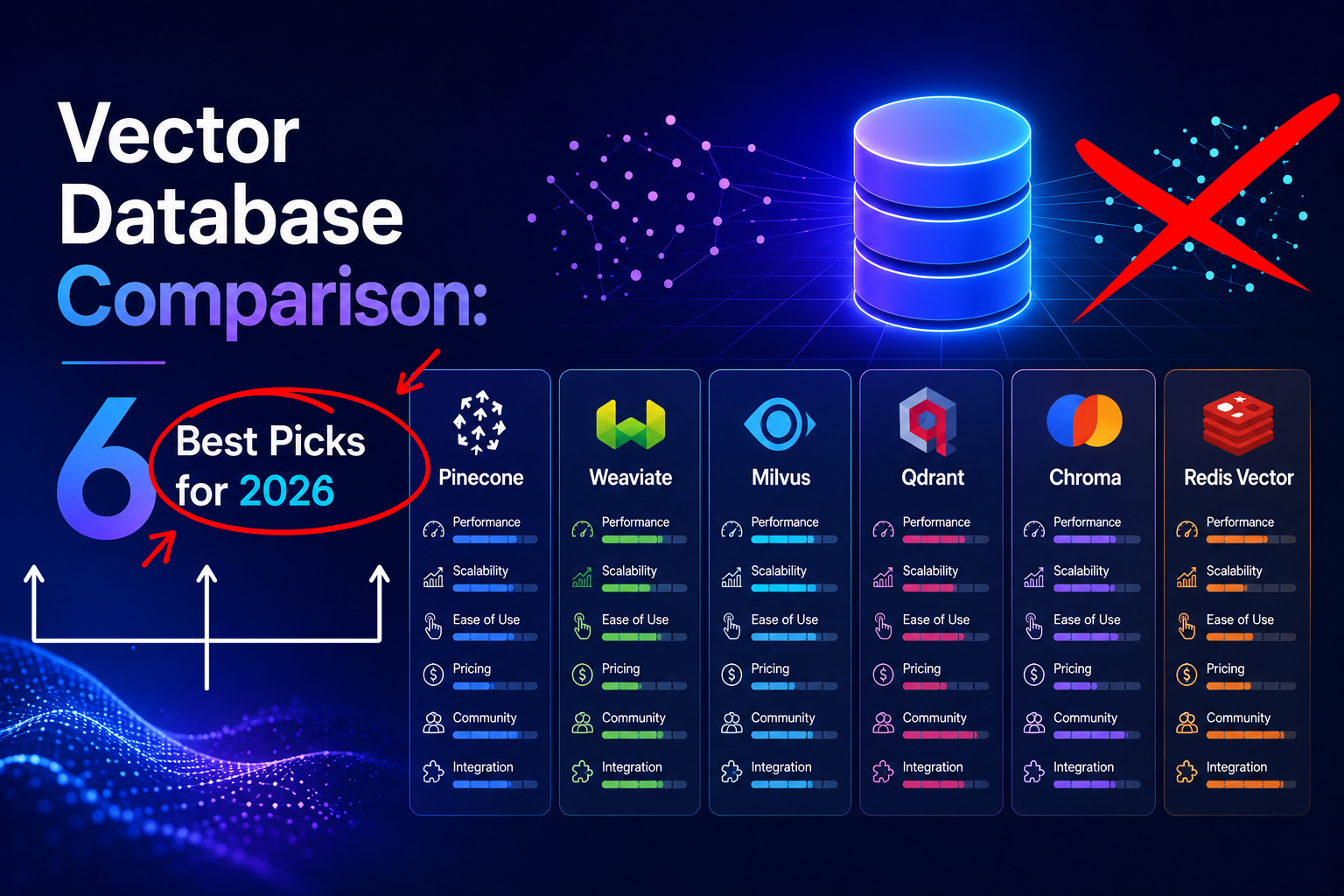
The six vector databases, compared
Pinecone is the managed leader. You push vectors in and query them out with no infrastructure to run, scaling to billions of vectors with sub-100ms latency and managed reranking. Independent benchmarks show it delivering consistent (if not the fastest) results with zero tuning. The trade-off is cost — spend compounds as you grow — and it’s a separate system from your application database. Best for: teams that want managed scale above all else.
Qdrant is the open-source speed leader, written in Rust and built specifically for vector search with especially strong filtered search performance — valuable when you combine embeddings with metadata like price or category. It ships native hybrid search, offers 1GB free forever in its cloud, and self-hosts cheaply (~$50–$100/month vs $200–$400 for Qdrant Cloud at larger scale). Watch-outs: a smaller ecosystem than the giants, and heavy concurrent writes need testing. Best for: cost-efficient, filter-heavy vector search with open-source control.
Weaviate is the hybrid-search champion of 2026, natively fusing BM25 keyword, dense-vector, and metadata filtering in a single query — and it ships built-in vectorization modules (OpenAI, Cohere, Hugging Face) so you can insert raw text and get embeddings automatically. Its modular design lets you swap models and rerankers without rebuilding. Watch-outs: the GraphQL API adds a learning curve and its Java-based runtime is resource-heavy to self-host. Best for: teams that want turnkey hybrid search and fast time-to-value.
Milvus (backed by Zilliz) is the most starred open-source option and is engineered for billion-scale similarity search with multiple index types and multi-modal support. That power comes with operational weight — it’s resource-intensive and typically deployed distributed at the largest scales. Best for: maximum scale and index flexibility.
pgvector is a Postgres extension that adds vector search to a database you may already run — no separate service, sync layer, or new infrastructure, and $0 incremental cost if you’re already on Postgres. Since the HNSW index arrived (pgvector 0.5.0), it matches or beats dedicated databases at ~1M scale (5–8ms queries). Watch-outs: Postgres wasn’t built for vectors, so very large scale and high-concurrency workloads need tuning. Best for: teams already on Postgres with moderate vector volumes.
Chroma is the developer-experience favorite — the fastest way to stand up vector search locally for prototyping and RAG experiments. Watch-outs: it’s less battle-tested at large production scale than the others. Best for: prototyping and developer-first projects.
How to choose in this vector database comparison
Ignore headline benchmarks first and decide by these, in order:
- Data-platform commitment. Already on Postgres and under a few million vectors? pgvector is the default — a separate database only justifies itself when scale or workload demands it.
- Managed vs self-hosted. Want zero ops? Pinecone (or the managed clouds of Qdrant/Weaviate/Milvus). Have engineering capacity and want control or lower cost? Self-host.
- Scale tier. Under ~10M vectors, almost anything works; 10M–1B narrows the field; 1B+ points to Milvus or other distributed systems.
- Hybrid search need. If you need keyword + vector + filters in one query, Weaviate and Qdrant lead natively; pgvector requires manual composition.
Testing your shortlist after the vector database comparison
The criteria above narrow six options to two or three. A short trial settles the rest.
Published numbers come from clean conditions you will never operate in. Therefore run these four checks on your own data instead. A day is usually enough.
Query with filters applied.
Use your real facet combinations, including the restrictive ones. Unfiltered speed tells you almost nothing about production behaviour.
Write while you read.
Run an import in the background during the latency test. Some systems hold steady, others degrade sharply. Consequently this check separates them fast.
Check recall, not just speed.
Compare results against a brute-force run on a sample. A fast index that quietly misses matches is worse than a slower accurate one.
Time a full rebuild.
You will need one eventually, after a model change or a corruption. That number becomes your recovery window, so measure it now.
In short, test at the size you expect next year rather than today. Growth exposes weaknesses that a small sample hides completely. Our nearest neighbor search guide covers what recall actually measures.
The ecommerce catch: database vs finished search
Here’s what this vector database comparison can’t stress enough for online stores: picking the database is step one of a multi-month build. A production ecommerce search stack means a vector database plus an embedding pipeline, hybrid blending, re-ranking, merchandising, and a storefront UI — realistically a 4–9 month project for a 2–4 person team. If that’s not where you want your engineers, a managed AI search platform handles all of it. bCloud AI’s AI search engine includes vector indexing, embeddings, hybrid blending, re-ranking, and merchandising out of the box — see our vector search for product discovery guide and the vector search deep-dive for the mechanics, or the best AI ecommerce search platforms for the managed field. The choice is honest build-vs-buy: a vector database for maximum control, a managed platform for speed to revenue.
Common Mistakes When Choosing a Vector Database
A vector database can dramatically improve semantic search performance, but choosing the wrong platform often leads to unnecessary costs, operational complexity, or disappointing search quality. Avoid these common mistakes before making your decision.
Choosing by Benchmarks Alone
The fastest benchmark doesn’t always deliver the best production experience. Consider scalability, operational effort, ecosystem, and long-term maintenance alongside raw query speed.
Ignoring Future Growth
A solution that performs well with one million vectors may require significant redesign when your catalog grows tenfold. Plan for future expansion, not just current requirements.
Overlooking Integration Effort
The database is only one part of the architecture. Embeddings, indexing pipelines, hybrid search, monitoring, and APIs should all be considered before implementation.
Focusing Only on Initial Cost
Infrastructure, engineering time, scaling requirements, and ongoing maintenance can have a much larger impact on total cost than the database itself.
Decision tip: Choose a vector database based on your team’s expertise, expected data growth, integration requirements, and long-term operating costs—not just feature comparisons or benchmark rankings. The right platform is the one that fits your entire AI search strategy.
Frequently asked questions
What is the best vector database in 2026?
There’s no single winner — it depends on your needs. Pinecone leads for managed scale, Qdrant for open-source speed and filtered search, Weaviate for native hybrid search, Milvus for billion-scale, pgvector for teams already on Postgres, and Chroma for prototyping. Choose by data-platform commitment, scale, hybrid-search need, and managed-vs-self-host.
Do I need a vector database for ecommerce search?
Not necessarily. You can use a dedicated vector database, a kNN-capable engine like Elasticsearch or OpenSearch, or a managed AI search platform that includes vector indexing. For most stores, a managed platform is faster because a vector database alone still requires building the embedding pipeline, hybrid blending, and merchandising around it.
Is pgvector good enough, or do I need a dedicated vector database?
If you already run Postgres and have under a few million vectors, pgvector with an HNSW index is often good enough and adds no incremental cost. A dedicated vector database becomes worthwhile when you need very large scale, high write concurrency, or advanced native hybrid search.
Which vector database has the best hybrid search?
Weaviate is widely regarded as the hybrid-search champion, natively combining BM25 keyword, dense-vector, and metadata filtering in one query. Qdrant also offers strong native hybrid search; pgvector requires you to compose it manually.
What’s the difference between a vector database and an AI search platform?
A vector database stores and retrieves embeddings. An AI search platform like bCloud AI adds everything around it — embedding generation, hybrid keyword-plus-vector ranking, re-ranking with business signals, merchandising, and analytics — so you get a finished ecommerce search experience instead of a component to build on.
A vector database is a part; a search experience is the goal.
bCloud AI includes vector indexing, embeddings, hybrid ranking, and merchandising in one managed platform — live in about four weeks, no stack to assemble. Start free or book a demo.
bcloud.ai