
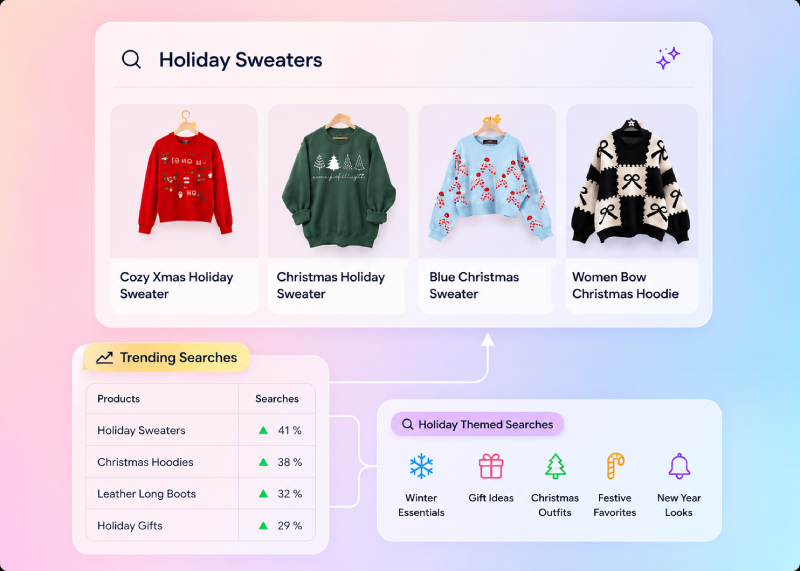

What Is an Ecommerce Search Bar?
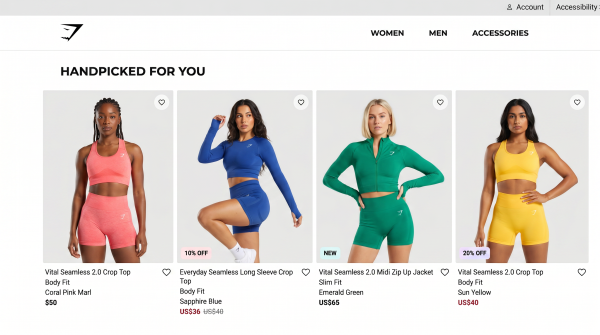
Why the Ecommerce Search Bar Is Your Most Valuable UI Element
Shoppers who use the search box convert at far higher rates than those who only browse, because searching signals strong purchase intent. Yet on the average store, roughly 31% of searches return zero results, sending ready-to-buy customers away empty-handed. That makes the humble search box one of the highest-leverage tools you own. We quantify the revenue at stake in our breakdown of why your ecommerce search is costing you millions, and the broader picture in our guide to ecommerce site search. Improve the search bar and you lift conversion, average order value, and satisfaction at the same time.
AI Search Grader by bCloud AI
Grade your ecommerce search in 10 quick questions
31% of ecommerce searches return zero results — and most shoppers who hit a dead end leave for a competitor. How does your store's search stack up?
Answer 10 short questions and get your AI search score, plus a personalized report to fix the gaps. Free, takes about 2 minutes.
No signup needed to take the quiz.
Understanding intent…
Scoring your answers across relevance, AI, experience, and insights.
Your AI search score is ready
Tell us where to send your personalized report. You'll see your score and recommendations right away.
Your score by pillar
Personalized recommendations
Fix the gaps in weeks, not quarters
bCloud AI replaces keyword-only search with hybrid AI retrieval — sub-200ms responses, 99.99% uptime, and conversion lifts of up to 40% across 50+ implementations.
Where to Place the Ecommerce Search Bar
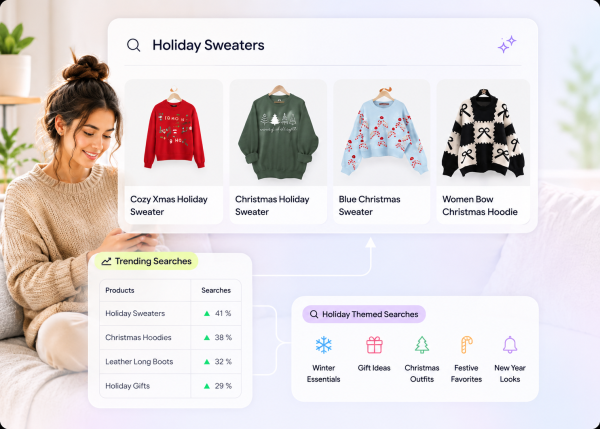
7 Proven Ecommerce Search Bar Design Tips That Convert
Once the search box is in the right place, these seven moves turn it into a conversion engine.
Make It Prominent and Always Visible
Use a wide, open input field with clear contrast against the header. The bigger and more obvious the box, the more shoppers use it — and search users convert. Keep it sticky so it stays reachable as customers scroll long category pages.
Use a Descriptive Placeholder and a Clear Icon
A helpful placeholder (“Search 10,000+ products…”) and a recognizable magnifying-glass icon tell shoppers exactly what the box does and hint at the breadth of your catalog. Pair the icon with a visible “Search” affordance so the action is unmistakable.
Add Smart Autocomplete and Predictive Suggestions
Predictive autocomplete is the single biggest upgrade you can make. As a shopper types, surface products, categories, and popular queries instantly — ideally with thumbnail images and prices. Great autocomplete means many shoppers never finish typing before they click straight to a product, shortening the path to checkout.
Show Rich, Scannable Results
Plain text links are a missed opportunity. Show product images, prices, ratings, and category context directly in the dropdown and on the results page, and pair results with faceted filters so shoppers can refine by price, brand, size, or availability without losing their place.
Handle Typos, Synonyms, and Zero-Results Gracefully
“Adiddas,” “blendr,” “headfones” — your search box must forgive spelling mistakes and understand synonyms automatically. And when a query has no exact match, never show a blank page: interpret intent, expand the query, and surface semantically related products or helpful alternatives so a near-miss still converts.
Optimize for Mobile and Voice
With the majority of ecommerce traffic on phones, your search bar must work flawlessly on small screens: a tappable field, autocomplete after two characters, one-tap filters, and forgiving typo correction for thumb typos. Increasingly, shoppers also search by voice and in conversational phrasing, so the box should accept natural language, not just keywords.
Make It AI-Powered
The biggest leap is moving from literal keyword matching to an AI-driven search box that understands meaning. With AI semantic search and conversational understanding, “a warm jacket for winter hiking” returns the right products even with no keyword overlap — the experience shoppers now expect after using ChatGPT. Our pillar AI e-commerce search guide explains the technology behind it.
Ecommerce Search Bar Best Practices Checklist
| Element | Best practice |
|---|---|
| Placement | Top header, visible on every page and device, open field (not hidden icon) |
| Placeholder | Descriptive text that hints at catalog breadth |
| Autocomplete | Instant suggestions with images, prices, and categories |
| Typo tolerance | Automatic correction and synonym understanding |
| Zero-results | Related products and alternatives, never a dead end |
| Mobile | Tappable field, one-tap filters, voice and natural language |
| Intelligence | AI semantic and conversational search behind the box |
Common Ecommerce Search Bar Mistakes to Avoid
Three mistakes quietly cost stores the most: hiding the search box behind an icon (which slashes usage), relying on keyword-only matching (which produces zero-results for normal shopper language), and ignoring mobile (where most of your traffic now lives). A fourth is neglecting the data behind the box — even a beautiful search bar fails if 20–30% of your catalog has weak titles or missing attributes, so clean and enrich your product data alongside any design upgrade.
How to Measure Your Ecommerce Search Bar Performance
You cannot improve what you do not track. Watch five metrics: search usage rate (the share of visitors who use the box — higher is better and signals good visibility), zero-results rate (the share of queries returning nothing — drive it toward zero), search conversion rate (how often searchers buy, which should comfortably beat your browse-only rate), search exit rate (how often a search is a shopper’s last action before leaving), and top zero-result queries (a ranked list of demand you are failing to meet). Reviewing these weekly turns raw query logs into a prioritized to-do list: the highest-volume failed searches are usually quick, high-return fixes, whether that means adding a synonym, correcting product data, or merchandising a better result. Over time this loop compounds — better data and tuning lead to higher search conversion, which funds further investment.
How a Smart Ecommerce Search Bar Turns Intent Into Sales
A smart ecommerce search bar does more than help shoppers find products; it connects high purchase intent with the most relevant products at the moment of discovery. As shoppers type, intelligent autocomplete can surface products and categories before the full query is submitted, while AI-powered search can understand natural language, synonyms, typos, and conversational phrases that traditional keyword matching may miss. When combined with personalized ranking, filters, and useful alternatives for zero-result queries, the search experience removes friction between what shoppers want and what your catalog offers. The result is a faster path from intent to product discovery that can reduce search abandonment and create more opportunities for conversions.
What the Best Search Boxes Have in Common
Study the highest-converting stores and the same patterns repeat. The box is impossible to miss, sitting in the header on every page. Suggestions appear the instant a shopper starts typing, complete with thumbnails and prices so the choice is visual, not textual. Misspellings are silently corrected, so “sweatpnats” still returns sweatpants. Filters sit right beside the results, letting shoppers narrow by the attributes that matter to them. Nothing ever dead-ends: a query with no exact match still shows close alternatives and popular related items. And the whole experience feels instant, because every extra hundred milliseconds of delay measurably increases abandonment. None of these are flashy features — they are fundamentals executed well, and together they separate a search box that quietly grows revenue from one that frustrates shoppers into leaving.
Don’t Treat It as “Set and Forget”
The biggest mistake is launching a search box and never revisiting it. Shopper language, your catalog, and seasonal demand all change constantly. Treat search as a living product: review the metrics above, run A/B tests on ranking and layout, and keep closing the gap between what shoppers type and what they find. The stores that win at search keep iterating long after launch.
Make It Accessible
A great search box works for everyone. Give the field a clear label for screen readers, make sure it is fully keyboard-navigable, maintain strong color contrast, and ensure suggestions can be selected without a mouse. Accessible design is not only the right thing to do — it widens your addressable market and reduces friction for every shopper, including the growing share using voice and assistive technology.
How bCloud AI Powers a Smarter Ecommerce Search Bar
bCloud AI turns a basic search box into an AI-powered discovery experience. It delivers sub-80ms autocomplete with product images, automatic typo correction and synonym understanding, semantic and conversational search, and a smart zero-results experience — all backed by real-time personalization and search analytics. It connects to Shopify, BigCommerce, Magento, WooCommerce, or a custom stack and typically goes live in about four weeks. The result our customers see is consistent: less search abandonment, faster product discovery, and conversion lifts of up to 40%. To see how it fits into the bigger picture, explore what makes a complete ecommerce search platform or compare the best ecommerce search engines for 2026.
The Future of Ecommerce Search Bars
The ecommerce search bar is rapidly evolving from a simple keyword box into an intelligent shopping assistant. Artificial intelligence is transforming how customers discover products, making search faster, more personalized, and increasingly conversational. Stores that adopt these innovations early will deliver better shopping experiences while staying ahead of customer expectations.
Conversational Search
Customers increasingly search using complete questions like “Show me waterproof hiking boots under $150” instead of typing only keywords.
Visual Search
Shoppers can upload an image and instantly discover visually similar products, reducing the effort required to find exactly what they want.
Voice Search
Voice assistants are making spoken product searches more common, requiring search engines to understand natural conversations.
Hyper-Personalization
Future search experiences will automatically adapt results using customer behavior, purchase history, location, and real-time shopping intent.
AI Shopping Assistants
Instead of simply displaying products, AI-powered search bars will recommend complete solutions, compare products, and answer shopping questions in real time.
Real-Time Learning
Modern search engines continuously improve rankings based on customer clicks, purchases, and engagement, delivering increasingly relevant results over time.
Looking Ahead
The future belongs to AI-powered search experiences that understand shopper intent instead of just matching keywords. Businesses investing in conversational AI, semantic search, visual search, and personalized product discovery today will be better positioned to increase conversions and meet the expectations of tomorrow’s online shoppers.
Frequently Asked Questions About the Ecommerce Search Bar
What is an ecommerce search bar?
An ecommerce search bar is the input field on an online store where shoppers type what they want, paired with the search engine that interprets the query and returns matching products. Modern search bars use AI, autocomplete, and natural language understanding to predict intent and surface relevant products in milliseconds.
Where should the ecommerce search bar be placed?
Place it in the top header, visible on every page and every screen size, as an open input field rather than an icon hidden behind a tap. A prominent, persistent search bar increases usage and conversions.
How do I add a search bar to my ecommerce website?
Most platforms include a basic search box, but to get AI-powered relevance you connect a search platform like bCloud AI to Shopify, BigCommerce, Magento, WooCommerce, or a custom stack. It typically goes live in about four weeks with no machine-learning expertise required.
What makes a good ecommerce search bar?
A good ecommerce search bar is prominent and always visible, has smart autocomplete with images and prices, tolerates typos and synonyms, never shows a blank zero-results page, works on mobile and voice, and is powered by AI semantic and conversational search.
Why is autocomplete important in an ecommerce search bar?
Autocomplete predicts intent as the shopper types and surfaces products, categories, and popular queries instantly. It shortens the path to purchase, reduces typos, and means many shoppers click straight to a product without finishing their query.
Does the ecommerce search bar need to work on mobile?
Yes. The majority of ecommerce traffic is on phones, so the search bar needs a tappable field, autocomplete after two characters, one-tap filters, forgiving typo correction, and support for voice and conversational input.
How does AI improve the ecommerce search bar?
AI adds semantic understanding, natural language processing, typo and synonym handling, and personalization, so the search bar returns relevant products even for queries it has never seen and tailors results to each shopper.
What is the best ecommerce search bar software?
The best ecommerce search bar software combines AI semantic and conversational search, fast autocomplete, personalization, and broad platform integrations. Leading options include bCloud AI, Algolia, and Klevu; the right fit depends on your catalog and platform.