
Why Ecommerce Search Filters Matter
Types of Ecommerce Search Filters
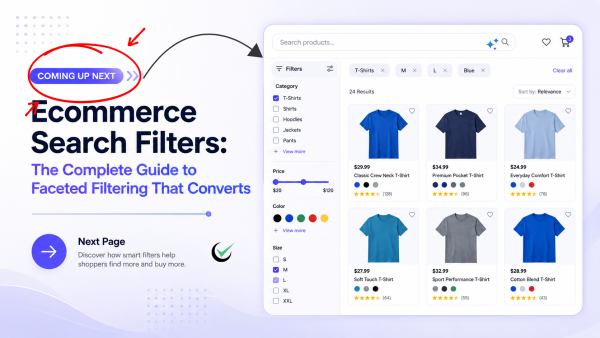
Most stores combine several filter types. Knowing the options helps you choose the right ones for each category.
Category and Attribute Filters
The backbone of faceted navigation: filters for category, subcategory, and product-specific attributes like material, style, capacity, or compatibility. These depend entirely on clean, structured product data.
Price Range Filters
A slider or preset ranges let shoppers shop within budget instantly. Price is one of the most-used filters across virtually every category.
Brand Filters
Brand-loyal shoppers want to jump straight to the names they trust. A brand filter is essential for multi-brand retailers and marketplaces.
Rating and Review Filters
“4 stars and up” is a powerful trust filter that helps shoppers skip past low-quality options and buy with confidence.
Availability and Stock Filters
Letting shoppers hide out-of-stock items — or filter for in-store pickup or fast shipping — removes frustration and protects the buying experience.
Dynamic and AI-Generated Filters
The most advanced ecommerce search filters are generated automatically from your catalog and adapt to each query. AI extracts attributes from product data and surfaces the facets that matter for the current results, so a search for “laptops” shows screen size and RAM while a search for “dresses” shows length and occasion.
AI Search Grader by bCloud AI
Grade your ecommerce search in 10 quick questions
31% of ecommerce searches return zero results — and most shoppers who hit a dead end leave for a competitor. How does your store's search stack up?
Answer 10 short questions and get your AI search score, plus a personalized report to fix the gaps. Free, takes about 2 minutes.
No signup needed to take the quiz.
Understanding intent…
Scoring your answers across relevance, AI, experience, and insights.
Your AI search score is ready
Tell us where to send your personalized report. You'll see your score and recommendations right away.
Your score by pillar
Personalized recommendations
Fix the gaps in weeks, not quarters
bCloud AI replaces keyword-only search with hybrid AI retrieval — sub-200ms responses, 99.99% uptime, and conversion lifts of up to 40% across 50+ implementations.
7 Smart Ecommerce Search Filters Best Practices
Once you know the filter types, these seven practices turn filtering into a conversion driver.
Show the Most Useful Filters First
Lead with the filters shoppers use most for that category — usually price, brand, size, and rating — and collapse the long tail. Too many filters at once create paralysis; the right few create momentum.
Use Dynamic, Context-Aware Facets
Filters should adapt to the query and results. Show only facets that actually apply to the current product set, and hide options that would return zero results, so shoppers never hit a dead end inside the filter panel.
Make Multi-Select and Clear-All Easy
Let shoppers select multiple values within a facet (three brands, two sizes) and combine facets freely. Always show what is currently applied, and give an obvious one-tap way to clear individual filters or reset everything.
Keep Filtering Instant
Results should update the moment a filter is applied, with no full page reload. Speed is a conversion driver: every extra moment of delay between selecting a filter and seeing results increases the chance a shopper abandons.
Be Mobile-First
With most ecommerce traffic on phones, filters must work on small screens: a clear “Filter” button, an easy-to-tap panel or bottom sheet, large touch targets, and an applied-filters summary. Cramped desktop filters squeezed onto mobile are a major source of lost sales.
Show Result Counts
Display how many products match each filter value (for example, “Blue (24)”). Counts set expectations, guide shoppers toward productive choices, and prevent the frustration of filtering down to nothing.
Combine Filters With AI Search and Sort
Filters are most powerful when paired with intelligent search and ranking. When AI semantic search understands intent and personalization orders the results, filters become the final, precise step rather than a crutch for weak relevance. Pair them with smart sort options (relevance, price, popularity, newest) for full control.
Faceted Search vs. Basic Filtering
| Aspect | Basic filtering | Faceted search (AI) |
|---|---|---|
| Facets | Fixed, manually configured | Dynamic, generated from the catalog |
| Relevance | Filters only | Filters + semantic ranking |
| Zero-result options | Often shown | Hidden automatically |
| Attributes | Manual tagging | AI-extracted from product data |
| Mobile | Often an afterthought | Built mobile-first |
Common Ecommerce Search Filters Mistakes
A few mistakes quietly cost stores conversions: showing too many filters at once (which overwhelms), leaving in filter options that return zero results (which frustrates), slow page reloads on every selection (which drives bounce), and cramped, hard-to-use mobile filters. The deepest mistake is poor product data — filters can only be as good as the attributes behind them, so if 20–30% of your catalog has missing or inconsistent attributes, your filters will be incomplete. Fixing that starts with AI data enrichment to extract and normalize attributes across your catalog.
How AI Improves Ecommerce Search Filters
AI transforms filtering from a manual, brittle system into a dynamic one. It automatically extracts structured attributes from messy product titles and descriptions, generates relevant facets per query, hides zero-result options, and combines filtering with semantic understanding so the underlying result set is already relevant before a shopper filters at all. The result is faceted navigation that feels effortless and never dead-ends. Our pillar AI e-commerce search guide explains the technology in depth, and AI Browse shows how bCloud applies it to navigation.
How to Measure the Impact of Your Ecommerce Search Filters
Filters are easy to improve once you measure them. Track filter usage rate (the share of search sessions that apply at least one filter), filter-to-conversion rate (how often filtered sessions end in a purchase versus unfiltered ones), the most-applied facets per category, and “filtered to zero” events (how often shoppers narrow until nothing is left). These four numbers tell you which filters earn their place and which create dead ends. A high “filtered to zero” rate is a red flag that your facets are not dynamic enough or your product data is incomplete. Reviewing these weekly turns filtering from guesswork into a tuning loop: promote the facets shoppers actually use, demote the ones they ignore, and fix the data behind any facet that frequently strands shoppers.
How Smart Filters Improve Product Discovery
Smart ecommerce search filters help shoppers move from broad intent to a specific product without forcing them to navigate through hundreds of irrelevant results. Instead of displaying the same fixed filter set for every query, modern faceted search can adapt available attributes to the products being viewed, show useful result counts, and remove options that would lead to zero results. When combined with semantic search, personalization, and accurate product data, filters become a precise final step in product discovery rather than a workaround for poor search relevance. This creates a faster, more intuitive shopping experience that helps customers make decisions with less effort while giving retailers more opportunities to improve engagement and conversions.
Which Stores Benefit Most From Better Filters
Every catalog with depth benefits, but the impact is largest where products have many distinguishing attributes. Fashion shoppers filter by size, color, material, and occasion. Electronics buyers filter by spec — screen size, capacity, compatibility. Furniture and home stores filter by dimensions, material, and style. Grocery and pharmacy shoppers filter by dietary needs, brand, and pack size. And B2B distributors live and die by spec-level filtering across enormous technical catalogs. In all of these, the difference between a few well-chosen filters and a cluttered or incomplete set shows up directly in conversion. The larger and more varied your catalog, the more filtering does to rescue shoppers from an overwhelming wall of results.
Filters and SEO
Filters also intersect with SEO. Faceted pages can create valuable landing pages for specific combinations (for example, “men’s waterproof hiking boots size 11”), but uncontrolled filter URLs can also create crawl bloat and duplicate content. The best practice is to index a curated set of high-demand facet combinations and use canonical tags or noindex rules for the rest, so filters help discovery without diluting your crawl budget.
Don’t Overwhelm Shoppers
More filters are not always better. A long, ungrouped list of facets creates choice paralysis and buries the options that matter. Group related filters, collapse the long tail behind “show more,” and lead with the handful that drive the most decisions in each category. The goal is to help shoppers decide faster, not to expose every attribute in your database at once.
How bCloud AI Powers Ecommerce Search Filters
Ecommerce Search Filters Readiness Checklist
Before launching or upgrading your ecommerce search experience, use this quick checklist to ensure your filters are optimized for both shoppers and conversions.
- Relevant filters appear first so customers don’t have to search through long filter lists.
- Out-of-stock products are handled intelligently with availability filters or hidden automatically.
- Filters update instantly without requiring a full page refresh.
- Mobile users can easily access filters through a responsive filter drawer or bottom sheet.
- Product attributes remain consistent across the catalog so AI can generate accurate facets.
- Filter performance is reviewed regularly using analytics such as conversion rate, zero-result searches, and filter usage.
Stores that regularly review and optimize their search filters create faster product discovery, reduce shopper frustration, and consistently achieve better conversion rates than stores that treat filtering as a one-time setup.
Frequently Asked Questions About Ecommerce Search Filters
What are ecommerce search filters?
Ecommerce search filters are controls beside or above search results that let shoppers narrow a result set by attributes like price, brand, size, color, rating, or availability. Together they form faceted search, helping shoppers reach the right product faster.
What is the difference between filters and faceted search?
The terms are closely related. Filters are the individual controls; faceted search (or faceted navigation) is the overall system of combinable filters generated from product attributes. Modern faceted search uses AI to create dynamic, context-aware facets.
Why are ecommerce search filters important?
Filters let high-intent shoppers narrow large result sets quickly, reducing friction and bounce. Good filtering lifts conversion, average order value, and satisfaction, while poor filtering is a leading cause of product-discovery abandonment.
What are the most important ecommerce search filters?
The most-used filters across categories are price, brand, size, color, rating, and availability. The best approach shows the most relevant filters first for each category and adapts dynamically to the query.
How does AI improve ecommerce search filters?
AI extracts attributes from product data automatically, generates relevant facets per query, hides options that would return zero results, and combines filtering with semantic ranking so the result set is already relevant before a shopper filters.
Should ecommerce search filters work on mobile?
Yes. With most ecommerce traffic on phones, filters need a clear filter button, an easy-to-tap panel or bottom sheet, large touch targets, result counts, and an applied-filters summary.
Why do my filters return zero results?
Usually because facets include values that no longer match the current result set, or because product data is missing attributes. Dynamic facets that hide zero-result options and AI attribute enrichment solve both problems.
What is the best ecommerce search filters solution?
The best solution offers dynamic, AI-generated facets, instant updates, mobile-first design, and integration with semantic search and personalization. Leading options include bCloud AI, Algolia, and Klevu, depending on your catalog and platform.
Give Shoppers Filters That Convert
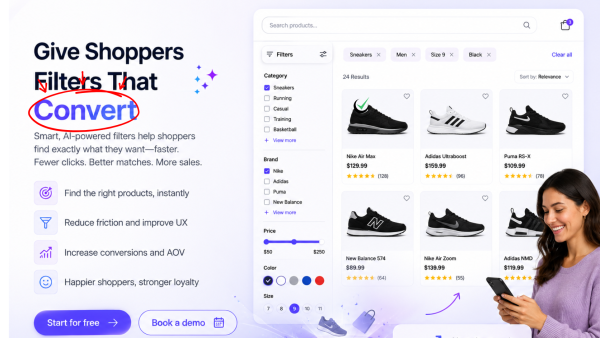
Great ecommerce search filters turn browsers into buyers by removing friction at the exact moment of decision. Start for free or book a demo to see AI-powered faceted search in action.
Related resources: Ecommerce Search Bar Guide · Ecommerce Site Search · Product Search Engine · Ecommerce Search Platform