
What Is Visual Search?

How Does Visual Search Work?
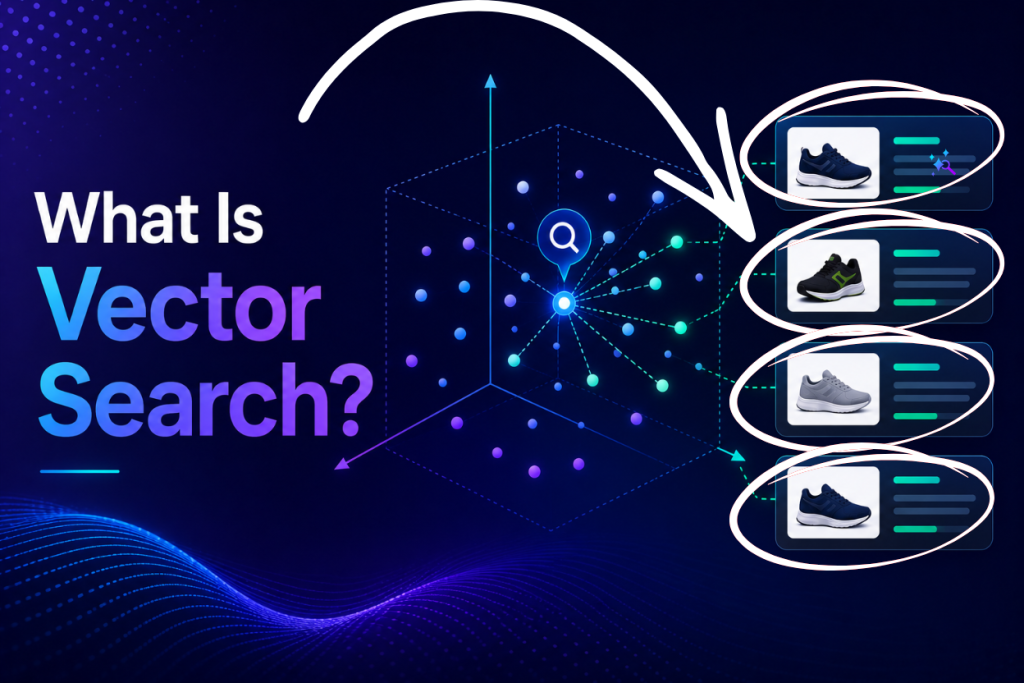
Behind the scenes, it relies on computer vision and AI embeddings. First, a vision model analyzes the query image and converts it into a numerical representation — a vector — that captures its visual features. Every product image in your catalog is encoded the same way. The system then finds the catalog vectors closest to the query vector, returning the products that look most similar. This is the same vector-similarity principle that powers semantic text search, applied to pixels instead of words, which is why our pillar AI e-commerce search guide on vectors and embeddings applies directly to images too.
AI Search Grader by bCloud AI
Grade your ecommerce search in 10 quick questions
31% of ecommerce searches return zero results — and most shoppers who hit a dead end leave for a competitor. How does your store's search stack up?
Answer 10 short questions and get your AI search score, plus a personalized report to fix the gaps. Free, takes about 2 minutes.
No signup needed to take the quiz.
Understanding intent…
Scoring your answers across relevance, AI, experience, and insights.
Your AI search score is ready
Tell us where to send your personalized report. You'll see your score and recommendations right away.
Your score by pillar
Personalized recommendations
Fix the gaps in weeks, not quarters
bCloud AI replaces keyword-only search with hybrid AI retrieval — sub-200ms responses, 99.99% uptime, and conversion lifts of up to 40% across 50+ implementations.
Why Visual Search Matters in Ecommerce
Shoppers often cannot put what they want into words. They see a jacket on someone in the street, a chair in a friend’s home, or a look on social media — and typing the right keywords to find it is hard or impossible. It removes that friction entirely. It is especially powerful on mobile, where the camera is always at hand, and with younger shoppers who expect to point, snap, and shop. By converting inspiration into instant results, it captures intent that keyword search simply loses, reducing the moments where a ready-to-buy shopper gives up because they could not describe the product.
Types of Visual Search
It shows up in several forms across modern stores.
Camera / Photo Search
A shopper points their phone camera at a real-world object and finds matching products instantly — the most natural form of visual discovery.
Image Upload Search
Shoppers upload a screenshot or saved image (often from social media) and the store returns the same or similar items.
Shop the Look / Similar Products
On a product page, shoppers tap to find visually similar items or complete the look, turning one image into many shoppable options.
Multimodal Search
The most advanced experiences combine an image with text — “this dress, but in blue” — letting shoppers refine visual results with words for precise discovery.
7 Powerful Benefits of Visual Search
| # | Benefit | Why it matters |
|---|---|---|
| 1 | Captures hard-to-describe intent | Finds products shoppers can’t put into words |
| 2 | Higher conversions | Turns inspiration into instant, shoppable results |
| 3 | Mobile-first discovery | Uses the camera shoppers already carry |
| 4 | Fewer zero-results | Works when shoppers have no keywords at all |
| 5 | Larger baskets | “Shop the look” surfaces complementary products |
| 6 | Competitive edge | Meets the expectations of younger, visual shoppers |
| 7 | Engagement | A fun, fast experience that keeps shoppers exploring |
Visual Search Use Cases by Industry
It delivers the most value where products are, well, visual. Fashion and apparel lead the way: shoppers match outfits, find similar styles, and shop looks from photos. Home and furniture shoppers find pieces that fit a room’s style without knowing the terminology. Beauty shoppers match shades and products from images. Home décor, jewelry, and accessories all benefit when style and appearance drive the purchase. In each case, the common thread is that a picture communicates what words cannot — and a store that can search on that picture wins the sale. The same enriched, well-tagged product data that powers great text search also strengthens visual results, which is why search enrichment matters here too.
How to Add Image Search to Your Store
Adding it is more accessible than it sounds. You need quality product images, a vision model to encode them into vectors, and a search platform that can match a query image against your catalog in real time. Modern platforms handle the heavy lifting: they index your existing images, generate the embeddings, and expose image search through a simple search API you can add to your storefront and mobile app. Because the underlying vector infrastructure is shared with semantic text search, it often comes as part of the same AI platform rather than a separate system to maintain.
Image Search and AI Discovery
It is part of a broader shift toward multimodal AI, where engines understand text, images, and intent together. As AI assistants and search engines grow more visual, the stores with clean, well-structured, well-imaged catalogs will be the easiest for these systems to read and recommend. Strong product imagery and image metadata feed both your onsite visual search and the external engines shaping discovery — connecting it to your broader AI visibility. In other words, investing in visual discovery is also an investment in being found as discovery becomes increasingly image-driven.
Common Visual Search Mistakes
A few mistakes limit results: poor or inconsistent product photography that gives the vision model little to work with; missing image metadata and attributes that would sharpen matches; treating it as a novelty rather than integrating it into the main discovery flow; and ignoring the multimodal step that lets shoppers refine visual results with text. The fix is to pair good imagery and enriched data with a real AI search foundation, so visual results are as relevant as your text results — not a gimmick bolted on the side.
How to Measure Visual Search Performance
Like any discovery feature, image-based search improves when you measure it. Track adoption (how many shoppers use the camera or upload option), the conversion rate of image-led sessions versus text sessions, the match quality of returned results from spot-checks, and the rate of “no good match” outcomes. Together these reveal whether shoppers are finding the feature, whether results are genuinely relevant, and where your product imagery or metadata needs work. A high “no match” rate usually points to gaps in catalog images or attributes rather than the model itself. Reviewing these regularly turns a flashy feature into a measurable, improving part of your discovery mix.
How Visual Search Connects Inspiration to Purchase Intent
Visual search helps retailers capture purchase intent at the moment inspiration happens, even when shoppers cannot describe what they are looking for with words. A product photo, social-media screenshot, or real-world object can become the starting point for discovering matching and visually similar products, while attributes such as color, shape, pattern, and style help refine the results. When image search is combined with product data, semantic search, and natural-language refinement, shoppers can move from visual inspiration to relevant products without switching between different discovery methods. This creates a more flexible shopping experience that reduces search friction, keeps shoppers engaged, and gives retailers more opportunities to turn visual discovery into measurable product engagement and sales.
The Future of Image-Driven Discovery
Discovery is becoming more visual every year. Cameras are everywhere, social feeds are image-first, and AI models increasingly understand pictures as fluently as text. That trajectory points to a near future where snapping a photo to shop is as routine as typing a query is today, and where assistants blend images, text, and voice in a single conversation. Retailers who build the foundation now — strong product photography, clean image metadata, and an AI engine that treats pixels and words in one system — will be ready to ride that shift rather than scramble to catch up. The groundwork pays off across every visual surface at once.
Start With Your Best-Selling Categories
You do not have to roll image search out everywhere at once. Begin with the categories where appearance drives the decision — apparel, furniture, décor — where the payoff is highest and your imagery is likely strongest. Prove the lift there, refine your product images and tags based on what shoppers actually search, then expand. A focused start builds the data and confidence to scale the feature across the whole catalog.
Quality Imagery Is the Foundation
No model can match what it cannot see clearly. Consistent, high-quality product photos from multiple angles, on clean backgrounds, give the vision model the signal it needs to return accurate matches. Pairing good images with complete attributes and tags — the work of enrichment — sharpens results further. In practice, the retailers who win at image-led discovery are the ones who treat product imagery as core data, not decoration.
How bCloud AI Powers Visual Search
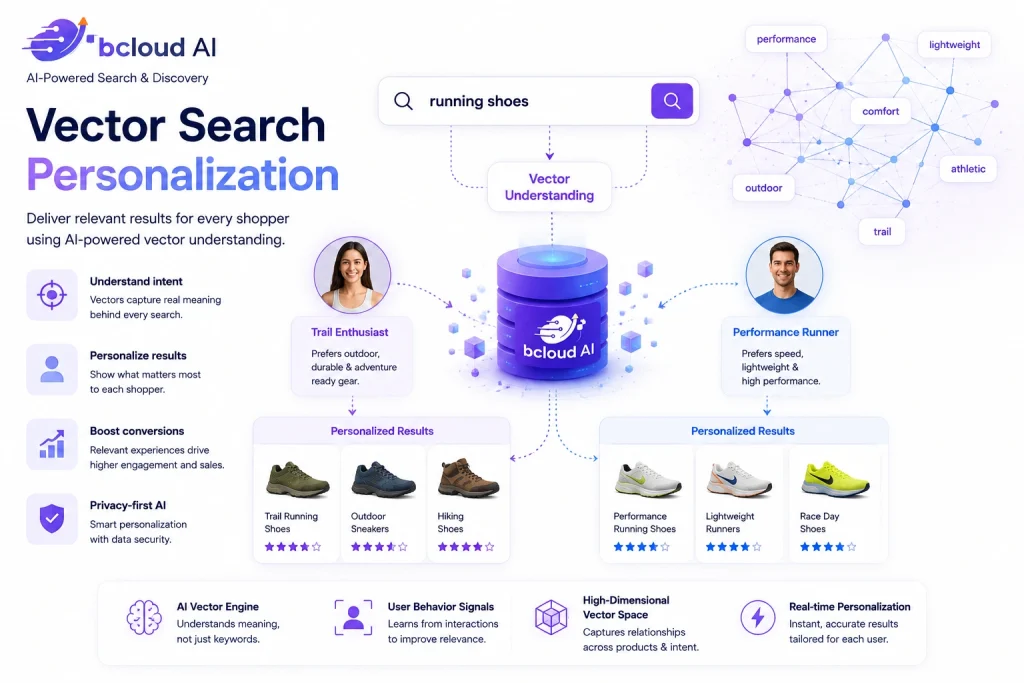
bCloud AI brings visual search into a single, AI-native platform built on multimodal understanding of text, images, intent, and context. It encodes your product images into the same high-dimensional vector space that powers its semantic AI search, so a photo query returns visually similar products in milliseconds, and shoppers can refine with natural language for multimodal precision. Because visual, semantic, and conversational search share one engine and one catalog, you get a consistent, relevant discovery experience across every input — image, text, or voice — without stitching together separate tools. To compare AI-native platforms, see our roundup of the best ecommerce search engines for 2026.
Best Practices for Visual Search Success
Adding visual search is only the first step. To deliver accurate matches and a seamless shopping experience, retailers should focus on the quality of their product data and imagery. These best practices help maximize search accuracy and customer satisfaction.
Use High-Quality Images
Upload clear, high-resolution product images from multiple angles so AI can recognize colors, textures, and shapes more accurately.
Enrich Product Attributes
Include detailed metadata such as color, material, brand, style, and category to improve matching beyond visual similarity.
Optimize for Mobile
Most visual searches begin with a smartphone camera, so the upload experience should be fast, intuitive, and mobile-friendly.
Monitor Search Performance
Regularly review popular image searches, unsuccessful matches, and conversion rates to continuously improve your visual search experience.
Pro Tip: Visual search performs best when combined with semantic and conversational search. Giving shoppers the ability to refine image results with natural language creates a faster, more accurate, and highly personalized shopping experience.
Frequently Asked Questions About Visual Search
What is visual search?
Visual search is a technology that lets people search using an image as the query instead of text. A shopper provides a photo, and the system identifies what is in it and returns matching or visually similar products. Modern visual search understands attributes like shape, color, and style, not just exact image copies.
How does visual search work?
Visual search uses computer vision to convert the query image into a numerical vector that captures its visual features, encodes every catalog image the same way, and returns the products whose vectors are most similar — the same vector-similarity principle behind semantic text search, applied to images.
Why is visual search important in ecommerce?
Shoppers often cannot describe what they want in words. Visual search lets them find products from a photo, capturing intent that keyword search loses. It is especially powerful on mobile and with younger shoppers, reducing dead ends and turning inspiration into instant results.
What are the types of visual search?
The main types are camera/photo search (point your phone at an object), image upload search (search with a saved image), shop-the-look or similar-products search on product pages, and multimodal search that combines an image with text to refine results.
Which industries benefit most from visual search?
Fashion and apparel, home and furniture, beauty, home décor, jewelry, and accessories benefit most, because style and appearance drive the purchase and a picture communicates what words cannot.
How do I add visual search to my online store?
You need quality product images, a vision model to encode them into vectors, and a search platform that matches a query image against your catalog in real time. Modern AI platforms index your images, generate the embeddings, and expose visual search through a simple API.
What is multimodal visual search?
Multimodal visual search combines an image with text in a single query — for example, “this dress, but in blue” — letting shoppers start from a picture and refine with words for more precise results.
What is the best visual search solution for ecommerce?
The best solution shares one AI engine and catalog across visual, semantic, and conversational search, so results stay consistent and relevant. Leading AI-native options include bCloud AI, which builds visual search on the same multimodal vector platform as its text search.
Let Shoppers Search With a Picture
It turns any photo into a shoppable moment. Start for free or book a demo to see image, text, and voice search working as one on your catalog.
Related resources: Conversational Commerce · AI Search · Ecommerce Search Enrichment · Best Ecommerce Search Engine: Top 10 for 2026