
What Is a Zero Results Search?

Why Zero Results Search Matters
Shoppers who search convert at higher rates than shoppers who only browse — they’re telling you exactly what they want. When their query returns nothing, you’re not just losing that search; you’re losing a high-intent visitor at the exact moment they were ready to buy. The revenue impact compounds fast: on a store doing $10 million a year with a 31% zero-results rate on search sessions, even recovering a fraction of those failed queries can add hundreds of thousands to the top line. Zero results search is also invisible unless you look for it — shoppers rarely complain, they just leave — which is why so many stores under-invest in fixing it.
AI Search Grader by bCloud AI
Grade your ecommerce search in 10 quick questions
31% of ecommerce searches return zero results — and most shoppers who hit a dead end leave for a competitor. How does your store's search stack up?
Answer 10 short questions and get your AI search score, plus a personalized report to fix the gaps. Free, takes about 2 minutes.
No signup needed to take the quiz.
Understanding intent…
Scoring your answers across relevance, AI, experience, and insights.
Your AI search score is ready
Tell us where to send your personalized report. You'll see your score and recommendations right away.
Your score by pillar
Personalized recommendations
Fix the gaps in weeks, not quarters
bCloud AI replaces keyword-only search with hybrid AI retrieval — sub-200ms responses, 99.99% uptime, and conversion lifts of up to 40% across 50+ implementations.
Common Causes of Zero Results Search
Most zero results search comes from a small set of predictable causes, and each has a specific fix.
Keyword-Only Matching
Traditional search matches literal words to product titles and descriptions. Any query that doesn’t share exact vocabulary — synonyms, descriptive language, natural phrasing — returns nothing, even when the right product exists.
Typos and Misspellings
“Sneekers,” “backpakc,” “meduim” — real shoppers type imperfectly. Without fuzzy matching, every typo becomes a zero results search.
Thin or Messy Catalog Data
Products with sparse titles, missing attributes, or inconsistent categorization don’t match queries that would otherwise find them. The best engine can’t retrieve products it can’t understand.
Long-Tail and Descriptive Queries
“Waterproof running jacket for cold mornings” is a real query with real intent, but keyword search struggles unless every one of those words appears in a title.
Out-of-Stock or Deprecated Products
Aggressive filtering of out-of-stock items can push otherwise-relevant products out of results, generating avoidable zero results.
Language, Region, and Currency Mismatches
International shoppers often search in different languages or terminology than the catalog was tagged in.
How to Measure Zero Results Search
You can’t fix what you don’t measure. Track the zero-results rate as a share of all search queries, the top high-volume zero-results queries (these tell you exactly what to fix first), the number of unique zero-results queries over time, and the recovery rate on shoppers whose first search returned nothing. Search analytics dashboards in a modern platform show these directly; without them, the problem stays invisible. A good baseline goal is under 5% zero-results rate for high-volume queries — anything higher is leaving revenue on the table and pointing to a fixable underlying cause.
9 Proven Ways to Fix Zero Results Search
| # | Fix | Why it works |
|---|---|---|
| 1 | Add semantic search | Matches meaning, not just keywords |
| 2 | Enable typo tolerance | Recovers misspelled queries automatically |
| 3 | Build a synonym dictionary | Maps common variants to catalog terms |
| 4 | Enrich catalog data | Complete attributes give search more to match |
| 5 | Never show a blank page | Return “similar items” instead of nothing |
| 6 | Use vector / embedding search | Catches descriptive, long-tail queries |
| 7 | Handle out-of-stock gracefully | Suggest alternatives instead of hiding all results |
| 8 | Support multiple languages | Recover international queries |
| 9 | Monitor and iterate | Top zero-results queries reveal exactly what to fix |
Never Show a Blank Page: Better Zero-Result Experiences
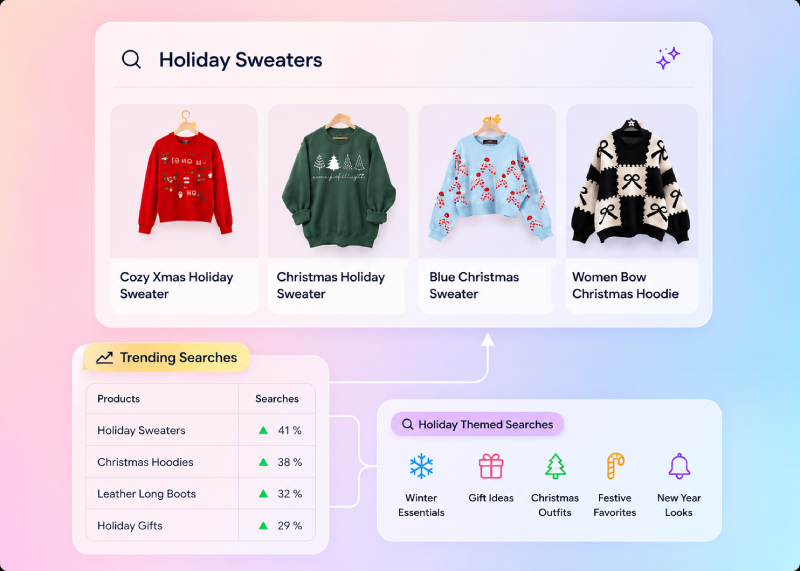
Even after fixing root causes, some queries will return no exact matches. The right response isn’t a blank page — it’s a graceful fallback that keeps the shopper engaged. Show visually or semantically similar products; suggest popular categories in the neighborhood of the query; surface trending items as a fallback; offer refined search suggestions or spelling corrections; and use conversational prompts (“we didn’t find that — try something like…”). A well-designed zero-result page can actually recover a meaningful share of otherwise-lost shoppers, turning failure into a second discovery moment.
How AI Solves the Zero Results Search Problem
AI-powered search fundamentally changes the zero results problem. Semantic and vector search match by meaning, so descriptive and long-tail queries find products even without exact keyword matches. Typo tolerance and fuzzy matching are built-in rather than hand-coded. Learned synonyms emerge automatically from behavior instead of manual dictionaries. And personalization surfaces alternatives tuned to each shopper’s history. The result: stores that switch from keyword-only search to modern AI-driven semantic search commonly see zero-results rates drop dramatically within weeks of going live, recovering searches that used to fail silently.
Zero Results Search and Conversion
The link between zero results search and revenue is direct and measurable. Search-led sessions convert at higher rates than browse-only sessions, but only if the search actually returns something relevant. Every failed query is a lost session at the highest-intent moment of the visit — usually with no chance to recover, because the shopper leaves before you know they were there. Reducing zero-results rate is one of the highest-leverage optimizations in ecommerce: the shoppers are already on your site, already searching, and already telling you what they want. Fixing the mechanism that fails them turns invisible losses into recovered revenue, without any acquisition spend.
Common Zero Results Search Mistakes
A few mistakes let the problem persist. Treating zero results as normal instead of a fixable failure. Never reviewing the actual queries that fail. Trying to fix everything with manual synonyms instead of upgrading to semantic search. Hiding the problem by tuning the UI (showing generic bestsellers instead of admitting the miss) without fixing the underlying match. And ignoring catalog data quality, so even great search returns nothing. The fix is measurement, AI-native semantic search, catalog enrichment, graceful fallbacks, and continuous review of failed queries.
How AI Turns Failed Searches Into Product Discovery
AI-powered search can turn failed ecommerce queries into new product discovery opportunities by understanding what the shopper means instead of stopping at an exact keyword match. Semantic retrieval can connect descriptive phrases and related concepts with relevant products, while typo tolerance and intelligent query understanding help recover searches that would otherwise return nothing. When no exact match exists, AI can also surface similar products, related categories, or useful alternatives based on the shopper’s intent. Combined with enriched catalog data and search analytics, this approach reduces dead ends and helps retailers turn previously lost search sessions into meaningful discovery and conversion opportunities.
How Reducing Zero Results Improves Product Discovery
Reducing zero results search helps ecommerce stores turn more high-intent queries into meaningful product discovery opportunities. When shoppers can find relevant products despite typos, synonyms, descriptive language, or incomplete queries, they are less likely to abandon the search or leave the store. Semantic retrieval, typo tolerance, enriched catalog data, and intelligent fallback recommendations work together to connect shopper intent with products that might otherwise remain undiscovered. By continuously monitoring failed searches and improving the underlying search experience, retailers can reduce search friction, increase product visibility, and recover conversion opportunities from shoppers who are already actively looking to buy.
Zero Results Search in B2B and Complex Catalogs
B2B stores and stores with technical, attribute-heavy catalogs (electronics, industrial parts, chemicals, furniture) see higher zero-results rates than average because buyers often search by specification, part number, or descriptive requirement. A B2B buyer typing “10-32 stainless steel hex bolt 1.5 inch” needs to find the exact part, and traditional keyword search fails hard on that pattern. The fix combines semantic search that understands attribute language, catalog enrichment that normalizes specifications, exact-match handling for identifiers like part numbers or SKUs, and unit/measurement understanding. When these come together, B2B zero-results rates drop from painfully high to well under 5%, and buyers stop bouncing to distributors who did the work first.
Recovery Analytics: Turning Failed Queries Into Roadmap
Every high-volume failed query is a roadmap item. Modern search analytics let you segment failed queries by volume, by category, and by whether shoppers reformulated or left. That segmentation reveals patterns: a spike in failures on one category may mean the catalog is missing products shoppers want; recurring failures on descriptive queries mean semantic search needs tuning; consistent failures on brand terms mean synonyms or attributes are missing. Reviewing this data monthly and turning it into concrete actions — enrich these attributes, add these synonyms, source these products — turns the search analytics dashboard into one of the most valuable strategic tools in the business.
When Zero Results Means Missing Products
Not every zero-results search is a failure of the engine. Sometimes shoppers are asking for products the store genuinely doesn’t carry — a signal about assortment gaps that most merchants ignore. High-volume failed queries for items you don’t stock are one of the cleanest signals in ecommerce for what to source next. Treating these separately from engine-failure zero-results — as demand signals, not defects — turns the same analytics into a merchandising and sourcing tool. Some of the most valuable additions to a catalog come from noticing what shoppers keep asking for.
How bCloud AI Reduces Zero Results Search
bCloud AI is built to keep zero-results rates as low as possible. Its NeuralSearch combines vector and keyword retrieval so semantic understanding catches descriptive and long-tail queries out of the box; typo tolerance, fuzzy matching, and learned synonyms are native; and graceful fallbacks — similar-item recommendations, category suggestions, and conversational prompts — replace blank pages with useful next steps. AI data enrichment cleans and completes catalog data during onboarding, so the engine has clean signals to match. Analytics dashboards surface the top zero-results queries directly, so teams know exactly what to fix next. To compare AI-native platforms, see the best ecommerce search engines for 2026.
Warning Signs Your Store Has a Zero Results Problem
Zero-result searches often go unnoticed because shoppers rarely report them—they simply leave. If you notice any of the following patterns, your search experience may need attention.
High Search Exit Rate
Visitors abandon the website immediately after performing a search without exploring additional pages.
Repeated Search Attempts
Shoppers repeatedly modify the same query, indicating they cannot find relevant products on the first attempt.
Popular Products Aren’t Found
Customers search for products you already sell, but those products fail to appear because of poor matching or incomplete catalog data.
Low Search Conversions
Search users convert at nearly the same rate as browse-only visitors, suggesting your search experience isn’t helping shoppers discover products.
Quick Tip: Even a small increase in search exits or repeated searches can indicate hidden zero-result issues. Reviewing search analytics regularly helps identify these problems before they begin affecting conversions and customer satisfaction.
Frequently Asked Questions About Zero Results Search
What is a zero results search?
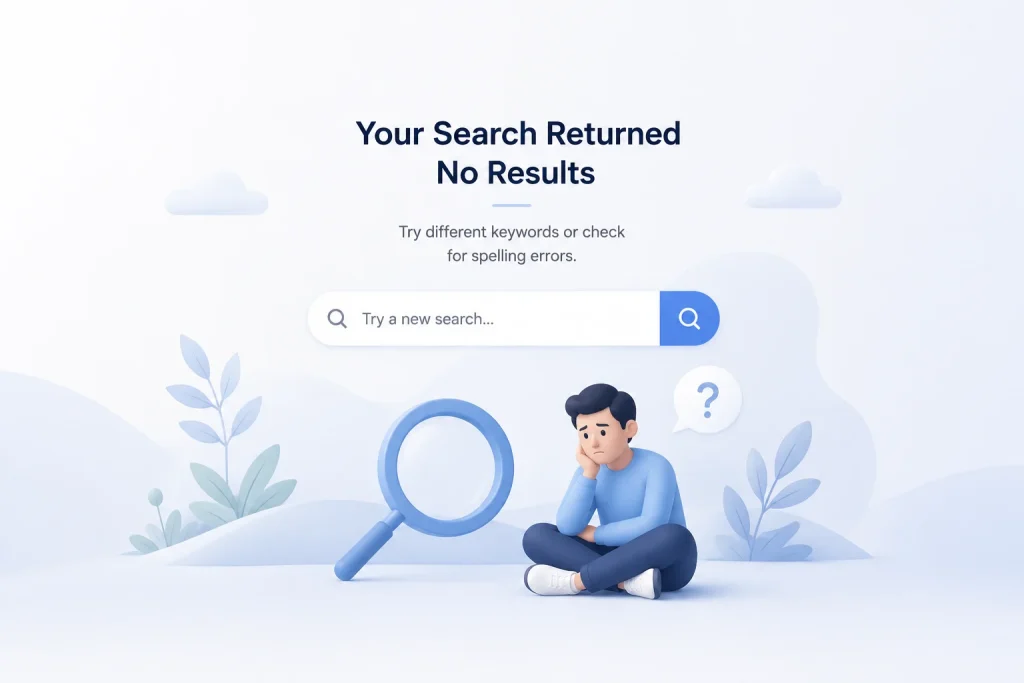
A zero results search happens when a shopper’s query returns no matching products — a “no results found” page. It’s a hard dead end that forces the shopper to search again, browse manually, or leave, and it’s one of the most damaging conversion problems in ecommerce.
Why does zero results search matter?
Shoppers who search convert at higher rates than browsers — they’re telling you exactly what they want. Every failed query is a lost session at the highest-intent moment, usually with no chance to recover. Reducing zero-results rate turns invisible losses into recovered revenue without any acquisition spend.
What causes zero results search?
Common causes include keyword-only matching that misses synonyms and descriptive language, typos and misspellings, thin or messy catalog data, long-tail queries, out-of-stock or deprecated products filtered too aggressively, and language or regional mismatches.
How do I measure zero results search?
Track zero-results rate as a share of all queries, top high-volume zero-results queries (these tell you what to fix first), unique zero-results queries over time, and recovery rate on shoppers whose first search failed. A modern search platform shows these directly in analytics.
What is a good zero-results rate?
A good baseline is under 5% for high-volume queries. Industry benchmarks put average rates around 31%, so most stores have significant room to improve. The specific target depends on catalog size and query variety, but the direction is always: lower is better.
How can I fix zero results search?
Add semantic search, enable typo tolerance, build a synonym dictionary, enrich catalog data, never show a blank page, use vector / embedding search, handle out-of-stock gracefully, support multiple languages, and monitor and iterate. AI-native search platforms deliver most of these out of the box.
Should I show similar products on a zero-results page?
Yes. Never show a blank page. Show visually or semantically similar products, suggest categories, surface trending items, offer refined search suggestions, or use conversational prompts. A well-designed fallback recovers a meaningful share of otherwise-lost shoppers.
Does AI search reduce zero results?
Yes, significantly. Semantic and vector search match by meaning, typo tolerance is built-in, learned synonyms emerge from behavior, and personalization surfaces relevant alternatives. Stores switching from keyword-only to modern AI search commonly see zero-results rates drop dramatically within weeks.
Stop Losing Sales to Blank Search Pages
Start for free or book a demo to see how AI-driven semantic search collapses zero-results rates on your catalog.