


What is an API key?
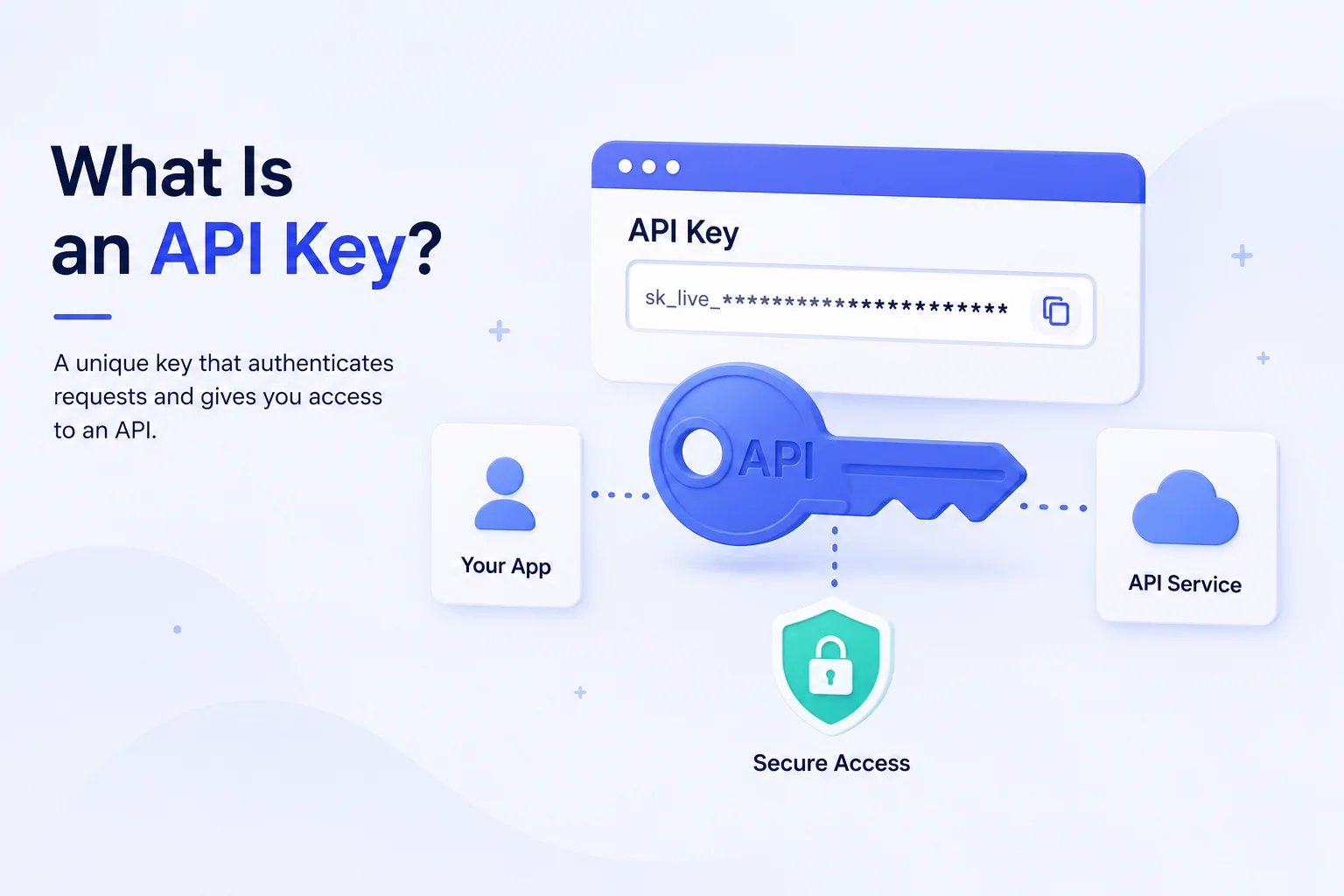
An API is the interface one piece of software uses to talk to another. When your storefront asks a search service for products matching a query, that’s an API call. The API key is what lets the service recognize your application as a legitimate caller rather than an anonymous stranger.
A typical API key looks like a long random string — something like bk_live_7f3a9c2e8d1b4a6f — and it does three jobs at once:
Identification.
It tells the service which account or application is making the request, which is how usage gets attributed to you.
Access control.
Keys carry permissions. One key might be allowed to read data only; another might be allowed to write or delete.
Rate limiting and metering.
Services count requests per key to enforce quotas and bill usage. If you’ve ever hit a rate limit, your API key is how the service knew it was you.
How an API key works
The mechanics are simpler than most developers expect on first encounter.
Step one: you generate the key. In the service’s dashboard, you create a key. The service stores a record of it and shows it to you — often only once, which is why the warning to save it immediately is genuinely important rather than boilerplate.
Step two: you include it in requests. Most modern APIs expect the key in an HTTP header, which is the safer pattern:
GET /v1/search?q=running+shoes
Authorization: Bearer bk_live_7f3a9c2e8d1b4a6f
Some older APIs accept it as a query parameter (?api_key=...), which is worse — URLs end up in server logs, browser history, and referrer headers. Prefer headers whenever the API supports them.
Step three: the service validates. It looks up the key, confirms it’s active, checks the permissions attached to it, verifies you’re within rate limits, and either fulfills the request or returns an error — typically 401 Unauthorized for an invalid key or 403 Forbidden for a valid key without sufficient permission.
Step four: usage is recorded. The call is logged against your account for quotas, billing, and analytics.
That’s the whole lifecycle. The complexity in real projects isn’t the mechanism — it’s deciding which key goes where and keeping the powerful ones out of public view.
AI Search Grader by bCloud AI
Grade your ecommerce search in 10 quick questions
31% of ecommerce searches return zero results — and most shoppers who hit a dead end leave for a competitor. How does your store's search stack up?
Answer 10 short questions and get your AI search score, plus a personalized report to fix the gaps. Free, takes about 2 minutes.
No signup needed to take the quiz.
Understanding intent…
Scoring your answers across relevance, AI, experience, and insights.
Your AI search score is ready
Tell us where to send your personalized report. You'll see your score and recommendations right away.
Your score by pillar
Personalized recommendations
Fix the gaps in weeks, not quarters
bCloud AI replaces keyword-only search with hybrid AI retrieval — sub-200ms responses, 99.99% uptime, and conversion lifts of up to 40% across 50+ implementations.
API key vs. other authentication methods
An API key isn’t the only way to authenticate, and knowing when it’s the right tool prevents a lot of design mistakes.
API key
Identifies an application. Simple to implement, easy to rotate, and appropriate for server-to-server calls and public read operations. It doesn’t identify an individual user.
OAuth tokens
Identify a user who has granted your application permission to act on their behalf. More complex, and the right choice when you need per-user authorization — “let this app read my calendar.”
JWTs (JSON Web Tokens)
Are signed tokens carrying claims about a user or session, typically short-lived. Common for authenticating logged-in users within your own application.
Basic authentication
Sends a username and password with each request. Largely legacy at this point; an API key is strictly better for machine-to-machine communication.
The rule of thumb: use an API key when an application needs access, and OAuth or JWTs when a person does. Many production systems use both — an API key identifies your storefront to a search service, while JWTs identify individual shoppers to your storefront.
Public keys vs. secret keys
Nearly every serious API issues at least two kinds of key, and confusing them is the most common security failure in this area.
Secret keys
(sometimes called admin, private, or write keys) carry broad permissions — creating records, deleting data, changing configuration, accessing billing. These must live only on your server, in environment variables or a secrets manager. Never in frontend code, never in a public repository, never in a mobile app bundle.
Public keys
(search-only, publishable, or read keys) carry deliberately narrow permissions — usually read-only access to specific resources. These are designed to be visible in browser code, because some operations genuinely have to happen client-side.
The distinction exists for a practical reason: anything shipped to a browser is public, full stop. Minification isn’t protection, and neither is embedding a key in compiled JavaScript. If a key reaches the browser, assume anyone can read it — so it must be a key you’re comfortable having read.
The search API key case
Here’s where this gets specific, because search APIs are one of the clearest examples of why key scoping matters.
Ecommerce site search usually runs in the browser. When a shopper types into your search box, the fastest architecture sends that query directly from their browser to the search service — no round trip through your server, which is how modern AI site search feels instant. That means the API key travels to the browser, where anyone can see it.
This is fine, and by design, provided it’s the right key. A search-only API key should be scoped so that the worst thing someone can do with it is run searches — no writing to the index, no reading configuration, no deleting products. Well-designed search platforms also let you attach constraints to a public key: restricting which indexes it can query, limiting it to specific filters, or capping its request rate.
The failure mode is depressingly common: a developer testing locally grabs the admin key because it’s the one at the top of the dashboard, ships it in frontend JavaScript, and now anyone viewing source can modify or delete the entire product catalog. This has happened to real companies, repeatedly, and it’s usually discovered by a security researcher rather than the team. If you’re evaluating search platforms, key scoping is worth adding to your checklist alongside the relevance criteria in our guide to the top semantic search solutions for e-commerce.
Two practices prevent it. First, use search-only keys in any code that reaches a browser, without exception. Second, keep admin keys server-side for indexing operations — the catalog sync that keeps your index fresh, as covered in our real-time indexing guide, should run from your backend where an admin key belongs. Our ecommerce search API guide covers the integration patterns in more detail.
7 API key security practices
1. Never commit keys to version control.
Use environment variables and add your .env file to .gitignore. Bots continuously scan public repositories for leaked credentials, and a key committed even briefly should be treated as compromised — history persists.
2. Scope every key to the minimum it needs.
The principle of least privilege, which the OWASP security community has advocated for decades, applies directly: a key that can only do one thing can only cause one kind of damage.
3. Use separate keys per environment.
Development, staging, and production should never share a key. When you need to revoke one, you don’t want to take down all three.
4. Rotate keys on a schedule.
Quarterly is a reasonable default, immediately after any suspected exposure or when a team member with access leaves. Good services support overlapping keys so rotation doesn’t require downtime.
5. Restrict by referrer or IP where supported.
Many services let you limit a public API key to requests originating from your domains, which substantially reduces the value of a stolen key.
6. Monitor usage for anomalies.
A sudden spike in requests, calls from unexpected regions, or unusual endpoint patterns often signal a leaked key before anything worse happens.
7. Have a revocation plan.
Know how to kill a key immediately and what will break when you do. Discovering the answer during an incident is the wrong time.
Where an API key actually leaks from
Most teams guard against two routes. They avoid frontend code and they avoid git commits.
However, an API key escapes through quieter channels too. None of these feel like a security decision at the time. That is exactly why they get missed.
Error logs and monitoring tools
A failed request often logs the full URL or headers. That log then ships to a third-party service. Therefore your key now sits in a system you do not control. Scrub credentials before logging.
Screenshots and support tickets
Someone shares a terminal screenshot to debug an issue. The key is visible in the command. Support threads and chat histories keep that image for years afterwards.
CI/CD build output
Build scripts echo environment variables during debugging. If your pipeline logs are readable across the org, so is the key. Mask secrets in your CI settings instead.
Shared API clients
Postman collections and similar tools sync to the cloud. Keys saved in a request get shared along with it. Always store them as workspace variables rather than inline values.
In short, assume every key will eventually appear somewhere you did not intend. Scoping and rotation are what limit the damage when it does. For search specifically, a browser-safe key makes most of these routes harmless — see our ecommerce search API guide.
What to do if a key leaks
Speed matters more than diagnosis. Revoke the exposed API key first — before investigating how it happened — then generate a replacement and deploy it. Only after the exposure is closed should you review access logs for unauthorized usage during the exposure window.
If the key was committed to a repository, note that removing it in a later commit doesn’t help: the value remains in history and in every clone. Rotate it regardless of whether the repository was public.
Then fix the process that allowed it, because a leak is nearly always a systems problem rather than a personal one — add pre-commit secret scanning, move keys to a secrets manager, or tighten which keys are visible to whom.
Common mistakes
- Using an admin key in frontend code. The single most damaging error, and it usually happens through convenience during local testing.
- Assuming obfuscation protects a key. Minified, encoded, or split across variables — anything in the browser is readable.
- Sharing one key across everything. When you need to revoke it, everything breaks at once.
- Passing keys in URLs. They land in logs, browser history, and referrer headers. Use headers.
- Never rotating. Keys that have existed for years, shared with people who’ve since left, are latent incidents.
- Treating an API key as authentication for users. It identifies an application, not a person. Use OAuth or JWTs for user-level authorization.
Getting your first API key: a walkthrough
If you’re reading this because you’re about to connect to a service for the first time, here’s the whole flow.
Create an account and find the keys section.
It’s usually under Settings, Developers, or API. Most services generate a starter key automatically on signup.
Read what the key is scoped to before copying it.
This takes ten seconds and prevents the single most damaging mistake in this article. Dashboards frequently list the admin key first because it’s the most powerful — which is exactly why it shouldn’t be the one you grab by default. Note which key is read-only and which can write.
Store it properly from the start.
Put it in an environment variable immediately rather than pasting it into a file “temporarily.” Temporary pastes are how keys end up committed. If your project has a .env file, confirm it’s in .gitignore before you write anything into it.
Make one test call.
Most services publish a curl example. Run it, confirm you get a 200, and you’ve validated the key works before wiring it into application code — which saves debugging a integration when the real problem was a mistyped key.
Set up the second key now, not later.
If you’ll need both a public and a secret key, create both immediately and label them clearly in your code. Teams that start with one key and “add the restricted one later” frequently ship the powerful one to production.
Our ecommerce search API documentation follows this pattern, issuing scoped keys by default so the safe configuration is also the default one.
Frequently asked questions
What is an API key?
An API key is a unique identifier that an application sends with its requests to identify itself to an API. It handles three jobs: identifying which account is calling, controlling what that caller is allowed to do, and metering usage for rate limits and billing. It identifies an application rather than an individual user.
How does an API key work?
You generate a key in the service’s dashboard, include it in your requests (usually in an HTTP Authorization header), and the service validates it — checking that it’s active, confirming its permissions cover the request, and verifying you’re within rate limits — before responding and logging the usage against your account.
Is an API key the same as a password?
No. A password authenticates a person; an API key identifies an application. Keys are also designed to be rotated regularly and scoped to narrow permissions, and some keys are deliberately public. That said, secret keys should be protected with the same care as passwords.
Can an API key be public?
Some can, by design. Public or search-only keys carry deliberately narrow read permissions and are meant to be visible in browser code, which is necessary for client-side operations like site search. Secret or admin keys with write access must never appear in anything that reaches a browser.
Why do search APIs use browser-visible keys?
Because sending queries directly from the shopper’s browser to the search service avoids a round trip through your server, which is how search feels instant. That requires a key in the browser — so it must be a search-only key scoped so the worst possible misuse is running extra searches.
How often should I rotate API keys?
Quarterly as a routine baseline, and immediately after any suspected exposure or when someone with access leaves the team. Good services support overlapping keys so you can rotate without downtime.
What should I do if my API key is exposed?
Revoke it immediately, before investigating. Generate and deploy a replacement, then review access logs for unauthorized use during the exposure window. If it was committed to a repository, rotate regardless — the value persists in git history and every clone.
Building search into your storefront?
bCloud AI’s search API ships scoped keys by default — search-only for the browser, admin for server-side indexing — so the safe pattern is the easy one.
bcloud.ai